

The Ultimate All-in-One Utility Hub: Exploring Online Tools Planet

Table Of Content
- What is OnlineToolsPlanet?
- ⭐ Key Features of OnlineToolsPlanet
- 💻 1. Developer Tools
- 🌐 2. Network Tools
- 🤖 3. AI Tools
- 🛠️ 4. Utility Generators
- 🧮 5. Calculators
- 🗂️ 6. File Metadata Tools
- 🛡️ 7. Cybersecurity & Security Tools
- 🔄 8. Data Conversion Tools
- 📊 9. Log Analysis Tools
- Why You Should Bookmark Online Tools Planet
- 🎯 Why OnlineToolsPlanet Stands Out
- ✔️ All-in-One Platform
- ✔️ No Installation Required
- ✔️ Privacy-Focused
- ✔️ Fast & Lightweight
- ⚖️ Pros and Cons
- ✅ Pros
- ❌ Cons
What is OnlineToolsPlanet?
OnlineToolsPlanet is a free online platform offering 120+ browser-based tools that require no installation or registration. All tools run directly in your browser, ensuring speed, convenience, and privacy.
👉 The platform is ideal for:
- Developers
- Content creators
- SEO professionals
- Designers
- Students
⭐ Key Features of OnlineToolsPlanet
- ✅ 100% Free Tools
- 🔐 Privacy-focused (no data upload to servers)
- ⚡ Instant processing in browser
- 🧰 120+ tools in one place
- 📱 Mobile-friendly interface
According to the platform, all processing happens locally in your browser, meaning your data stays secure.
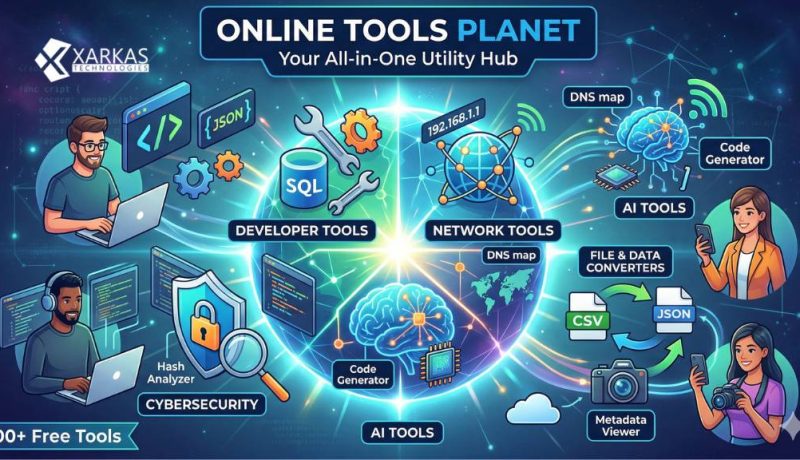
Are you tired of bookmarking a dozen different websites just to format JSON, generate a secure password, check a DNS record, or convert a CSV file? If so, it might be time to consolidate your digital toolbox. Enter Online Tools Planet—a comprehensive, centralized hub offering over 100 free online tools designed to streamline workflows for developers, security analysts, network engineers, and digital marketers.
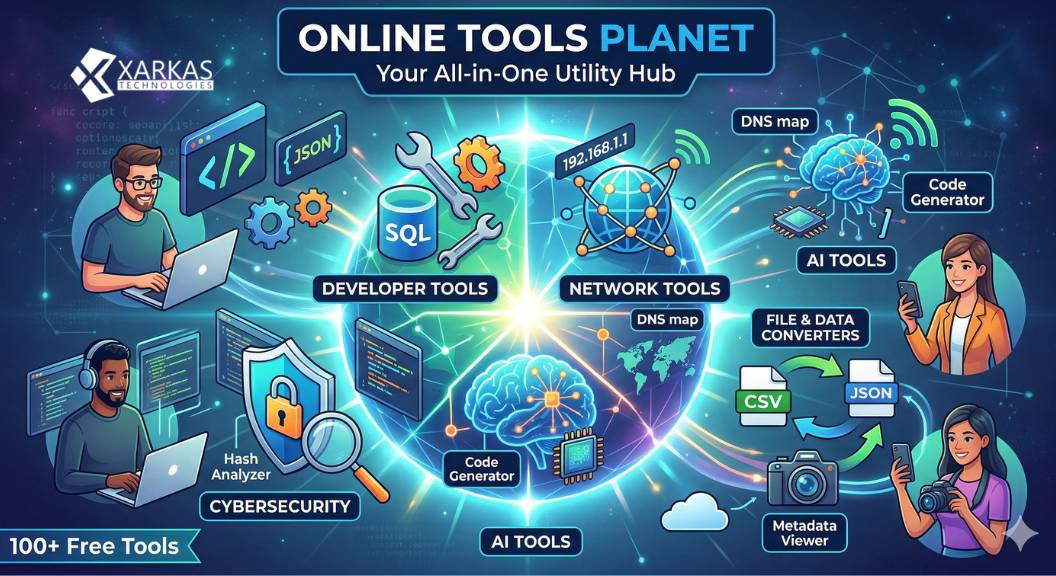
Whether you’re debugging code, planning an SEO strategy, analyzing cybersecurity threats, or just trying to calculate GST, this website has a tool for you. Let’s take a deep dive into the extensive suite of tools available on Online Tools Planet.
💻 1. Developer Tools
For software developers, dealing with messy data formats, encodings, and syntax errors is a daily struggle. This section features 23 focused utilities to boost your API productivity and debugging processes:
-
Data Formatting & Validation: JSON Formatter, SQL Formatter
-
Encoding & Decoding: Base64 Encoder, Base64 Decoder, URL Encoder, URL Decoder
-
Tokens & IDs: UUID Generator, JWT Decoder
-
Testing & Conversion: Regex Tester, Timestamp Converter
🌐 2. Network Tools
If you are managing infrastructure or troubleshooting connectivity, the Network Tools category provides 13 lookup and addressing utilities:
-
IP & Subnet: IP Lookup, What Is My IP, Subnet Calculator, CIDR Calculator, ASN Lookup
-
DNS & Domains: DNS Lookup, DNS Propagation Checker, Domain WHOIS Lookup, Port Checker, HTTP Header Analyzer
-
Specific Record Lookups & Propagation Checkers: A Record, AAAA Record, MX Record, TXT Record, NS Record, and CNAME Lookup (along with their respective propagation checkers).
🤖 3. AI Tools
Leveraging artificial intelligence to automate complex syntax and generate content, these 12 tools act as your digital assistant:
-
Coding & Regex: Regex Generator, Regex Explainer, Code Explainer, Code Generator, SQL Query Generator, Regex AI Generator
-
Content Generation: Text Summarizer, Email Writer, Blog Title Generator, Content Paraphraser
🛠️ 4. Utility Generators
Need dummy data, barcodes, or text formatting fast? The 11 Utility Generators cover everyday digital tasks:
-
Random Generators: Random String, Random Number, Random Name, First Name, Full Name, Fantasy Name, Random Color (HEX, RGB, HSL)
-
Codes: QR Code Generator, QR Code Scanner, Barcode Generator (CODE128, EAN13, UPC)
-
Text & Formatting: Lorem Ipsum Generator, Text Case Converter (Uppercase, Lowercase, Title, Sentence, Camel, Snake, Kebab), Word Counter
🧮 5. Calculators
Skip the spreadsheets. Online Tools Planet features 10 business, finance, and sizing calculators:
-
Financial & Business: GST Calculator (Add/Remove GST), EMI Calculator, Profit Margin Calculator, Salary Tax Calculator, Loan Interest Calculator
-
Numbers & Time: Age Calculator, Percentage Calculator (Percentage of Number, Percent of Total, Increase, Decrease), Time Zone Converter
-
Tech Specs: Storage Size Calculator, Bandwidth Calculator
🗂️ 6. File Metadata Tools
Managing files and images becomes much easier with these 10 analysis and conversion tools:
-
Metadata & Analysis: Image Metadata Viewer, PDF Metadata Viewer, File Size Analyzer, Duplicate File Detector, File Type Detector, File Text Extractor
-
Image Conversion: Image Base64 Converter, Image Compressor, Image Format Converter (PNG to JPG/WebP, JPG to PNG/WebP, WebP to PNG/JPG)
-
File Hashing: File Hash Generator (SHA-256, SHA-1, SHA-384, SHA-512)
🛡️ 7. Cybersecurity & Security Tools
For defenders and security analysts, keeping data safe is paramount. The platform splits these into 15 specific tools across Threat Intelligence and Security Generation:
-
Reconnaissance & Intelligence: CVE Search, MITRE ATT&CK Lookup, IOC Analyzer, Malware Hash Lookup, Subdomain Finder, Firewall Rule Analyzer, Email Header Analyzer, Hash Analyzer
-
Security Generators: Password Generator, Password Strength Checker, SSL Certificate Checker, API Key Generator, Token Generator, Encryption/Decryption Tools (Text), and various Hash Generators (MD5, SHA-1, SHA-256, SHA-384, SHA-512)
🔄 8. Data Conversion Tools
Moving structured data from one format to another is seamless with 8 dedicated visualizers and converters:
-
Converters: CSV to JSON, JSON to CSV, XML to JSON, JSON to XML, JSON to YAML
-
Visualization & Sizing: JSON Visualizer, CSV Visualizer, Data Size Calculator
📊 9. Log Analysis Tools
When things go wrong in production, log analysis tools help you find anomalies and troubleshoot efficiently:
-
JSON Diff Tool
-
Log File Analyzer
-
Text Similarity Checker
-
Log Timestamp Converter
-
Log Pattern Detector
Why You Should Bookmark Online Tools Planet
The beauty of Online Tools Planet lies in its unified approach. Instead of bouncing between a specialized DNS checker website, a random password generator, and a standalone JSON formatter, you get everything in one consistent, fast-loading interface.
The site is built with user experience in mind: tools feature helpful “copy” and “download” actions, clear formatting, syntax highlighting, and dedicated guides (like “How to Format JSON Online” or “Base64 vs URL Encoding”) to help you understand the why behind the how.
Next time you find yourself stuck formatting messy code, trying to figure out why your DNS hasn’t propagated, or needing a quick CSV to JSON conversion, head over to Online Tools Planet. It’s entirely free, heavily focused on productivity, and neatly categorized to keep your digital workflows moving fast!
🎯 Why OnlineToolsPlanet Stands Out
✔️ All-in-One Platform
You get everything from developer tools to SEO and design utilities in one place.
✔️ No Installation Required
All tools work directly in your browser.
✔️ Privacy-Focused
No data is uploaded to servers.
✔️ Fast & Lightweight
Instant results without delays.
⚖️ Pros and Cons
✅ Pros
- Free and unlimited access
- No login required
- Wide variety of tools
- Clean and simple interface
- Privacy-friendly
❌ Cons
- Limited advanced features compared to premium tools
- No offline access
- Some tools are basic
🏁 Final Verdict
OnlineToolsPanet is an excellent platform for anyone looking for quick, free, and reliable online tools. Whether you are a developer, designer, or blogger, this platform provides everything you need to streamline your workflow.
👉 If you want a one-stop solution for online utilities, OnlineToolsPlanet is definitely worth exploring.




No Comment! Be the first one.