Trojan.Malware.300983.susgen: What It Is, Whether It Is Dangerous, and How We Remove It

Table Of Content
- What Is Trojan.Malware.300983.susgen?
- Is Trojan.Malware.300983.susgen Dangerous?
- Scenario 1: A Genuine Trojan Infection
- Scenario 2: Cracked Software, Keygens, and Game Modifications
- Scenario 3: A False Positive
- Common Infection Sources
- Symptoms of a Trojan Infection
- How to Remove Trojan.Malware.300983.susgen: Step-by-Step
- Step 1: Disconnect and Isolate the Device
- Step 2: Do Not Delete Files Manually Yet
- Step 3: Boot into Safe Mode with Networking
- Step 4: Run a Full Scan with a Reputable Security Tool
- Step 5: Check Startup and Scheduled Tasks
- Step 6: Clean Your Browsers
- Step 7: Change Your Passwords from a Clean Device
- Step 8: Update Windows and Installed Software
- Step 9: Consider a Reset for Severe Cases
- How to Verify a Suspected False Positive
- How to Prevent Future Trojan Infections
- Frequently Asked Questions
- Can Trojan.Malware.300983.susgen steal passwords?
- Does quarantining the file fix the problem?
- Why does the detection keep coming back?
- Is it safe to ignore the alert?
- Final Verdict
When a security scanner flags Trojan.Malware.300983.susgen, the alert looks alarming and gives almost no context. We explain below what this detection means, why it appears, how to tell a real infection from a false positive, and how to clean a Windows system completely.
What Is Trojan.Malware.300983.susgen?
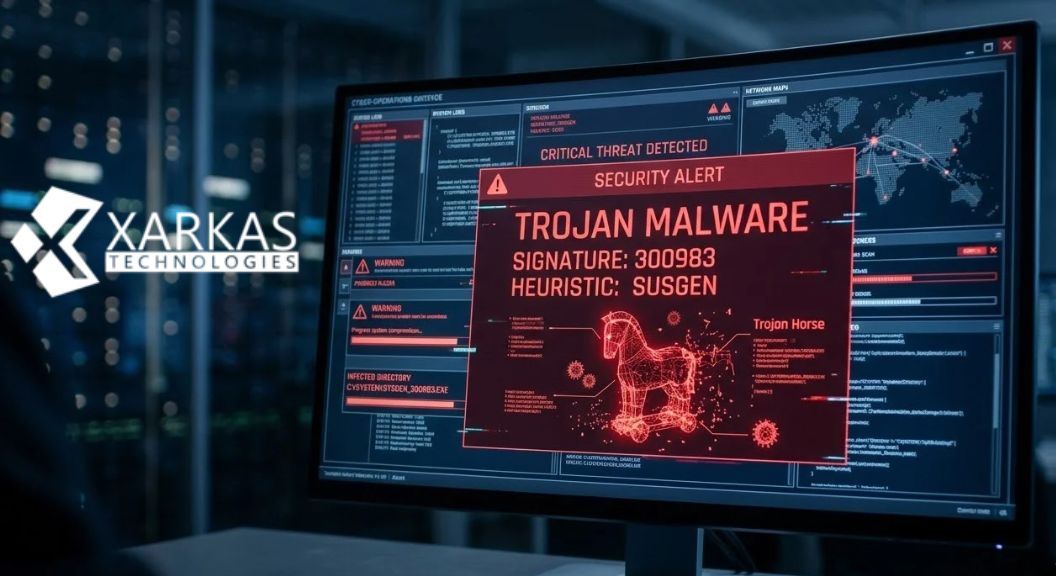
Trojan.Malware.300983.susgen is a generic heuristic detection name. It is not the name of a single, specific malware family. Most users see it in Malwarebytes scan results. The name breaks down into three parts:
- Trojan: the file behaves like a program that disguises its real purpose, rather than a self-replicating virus or worm.
- Malware.300983: an internal signature or rule identifier used by the vendor’s detection engine.
- susgen: an abbreviation of “suspicious generic.” The engine matched behavioral or structural traits associated with malicious code but did not match a known sample exactly.
In practice, the scanner is saying that a file looks and acts like a trojan, even though it has not been tied to a named threat. Treat the alert seriously, but investigate before assuming the worst.
Is Trojan.Malware.300983.susgen Dangerous?
The risk depends on which file triggered the alert. We see three common scenarios.
Scenario 1: A Genuine Trojan Infection
If the flagged file sits in a temporary folder, the AppData directory, or a randomly named folder, and you did not install it deliberately, we treat it as a real threat. Trojans in this category often act as droppers, loaders, information stealers, or remote access tools. They can harvest saved browser passwords, intercept cookies and session tokens, log keystrokes, and download further payloads such as ransomware.
Scenario 2: Cracked Software, Keygens, and Game Modifications
This is the most frequent trigger. Cracked applications, license key generators, game cheats, mod loaders, and patchers modify other programs’ memory or bypass license checks, which is exactly what malware does. Many of these files are also bundled with real malware by their distributors. We strongly advise against running them, whether the detection turns out to be correct or not.
Scenario 3: A False Positive
Legitimate software can trigger heuristic rules. Small utilities written by independent developers, newly compiled executables without a reputation history, packed or obfuscated installers, and custom automation scripts converted to executables are typical examples. A false positive is plausible when the file came from a trusted source, is digitally signed, and you can verify its origin.
Common Infection Sources
We find the same delivery methods behind most real cases:
- Pirated software and cracks downloaded from torrent sites and file-sharing portals
- Malicious advertisements and fake download buttons on free-software sites
- Phishing emails carrying ZIP, ISO, or Office attachments
- Fake software updates, especially fake browser or Flash-style update prompts
- Compromised or trojanized installers from unofficial mirrors
- Malicious browser extensions installed without scrutiny
- Infected USB drives and shared network folders
Symptoms of a Trojan Infection
A genuine infection often produces several of these signs:
- Sudden slowdowns, high CPU or disk usage from unfamiliar processes
- Browser redirects, changed homepages, or unexpected pop-ups
- New programs, toolbars, or extensions you did not install
- Disabled antivirus or blocked access to security websites
- Unexplained network traffic or outbound connections
- Login alerts or password-reset emails for accounts you did not touch
- Files renamed, encrypted, or missing
An alert with none of these symptoms points more strongly toward a quarantined or false-positive file, but it does not rule out a dormant or newly arrived threat.
How to Remove Trojan.Malware.300983.susgen: Step-by-Step
Step 1: Disconnect and Isolate the Device
Disconnect from the internet and any shared network to stop data theft and prevent the threat from contacting its command server or spreading.
Step 2: Do Not Delete Files Manually Yet
Allow your security software to quarantine the detected item first. Quarantine is reversible, which matters if the detection turns out to be a false positive.
Step 3: Boot into Safe Mode with Networking
Restart Windows in Safe Mode. This prevents most non-essential startup items, including many trojans, from loading, which makes cleaning easier.
Step 4: Run a Full Scan with a Reputable Security Tool
Run a full system scan, not a quick scan, with an up-to-date anti-malware product. We recommend running a second-opinion scanner from a different vendor, because heuristic engines disagree often. Quarantine everything flagged, then restart.
Step 5: Check Startup and Scheduled Tasks
Review Task Manager’s Startup tab, the Task Scheduler, and the Services list for entries you do not recognize. Trojans commonly persist through scheduled tasks and registry Run keys. Remove only entries you have confirmed are malicious, ideally using a tool such as Microsoft Autoruns for visibility.
Step 6: Clean Your Browsers
Remove unknown extensions, reset search and homepage settings, and clear cached data. Browser-based persistence is a common trojan foothold.
Step 7: Change Your Passwords from a Clean Device
Once the system is clean, change passwords from a different, trusted device, starting with email, banking, and password-manager accounts. Enable multi-factor authentication everywhere it is offered, and sign out of all active sessions to invalidate stolen cookies.
Step 8: Update Windows and Installed Software
Install all pending Windows updates and update browsers, Java, PDF readers, and other applications. Trojans frequently depend on unpatched vulnerabilities.
Step 9: Consider a Reset for Severe Cases
If the infection involved banking credentials, ransomware, or remote access tools, or if detections keep returning, back up essential personal files (not programs), then perform a clean reinstall of Windows. This is the only way to be certain nothing is left behind.
How to Verify a Suspected False Positive
Before dismissing the alert, we recommend the following checks:
- Confirm the file’s origin. If it came from the developer’s official site, the risk drops considerably.
- Check the digital signature. Right-click the file, open Properties, and review the Digital Signatures tab.
- Calculate the file hash (SHA-256) and search it on a multi-engine scanning service such as VirusTotal. A single-vendor detection among dozens of clean results suggests a false positive.
- Review the file’s behavior in a sandbox or virtual machine if you are technically able.
- Submit the file to the vendor as a false-positive report so the signature can be corrected.
Never add a file to an exclusion list until you have verified it independently.
How to Prevent Future Trojan Infections
Prevention costs far less than recovery. We follow these practices:
- Avoid pirated software, keygens, and cracks. They are the leading cause of generic trojan detections.
- Download software only from official vendor websites or trusted stores.
- Keep real-time protection enabled and update definitions automatically.
- Use a standard user account for daily work instead of an administrator account.
- Treat unexpected email attachments and links with suspicion, even from known senders.
- Use a password manager and unique passwords for every account.
- Maintain regular offline or cloud backups following the 3-2-1 rule: three copies, two media types, one off-site.
- Enable browser protection features and block notifications from unfamiliar sites.
Frequently Asked Questions
Can Trojan.Malware.300983.susgen steal passwords?
If the file is a real information stealer, yes. Many trojans in this category extract saved browser credentials, cookies, and cryptocurrency wallet data. We recommend changing passwords after cleanup as a precaution.
Does quarantining the file fix the problem?
Quarantine neutralizes the detected file, but it does not remove other components the trojan may have dropped. Run a full scan and check persistence points afterward.
Why does the detection keep coming back?
Recurring detections usually mean a persistence mechanism, such as a scheduled task or registry entry, is re-creating the file, or that you keep re-downloading or re-running the source program.
Is it safe to ignore the alert?
We do not recommend it. Even if the file turns out to be a false positive, ignoring the alert without verification risks leaving a real infection active.
Final Verdict
Trojan.Malware.300983.susgen is a generic, heuristic-based warning that flags suspicious trojan-like behavior. It most often points to cracked software, keygens, or untrusted downloads, though occasionally to a harmless file. We recommend isolating the device, quarantining the item, running full scans from more than one vendor, verifying the file’s origin, and rotating your credentials. Combined with disciplined download habits and consistent updates, these steps protect your system and your data.