

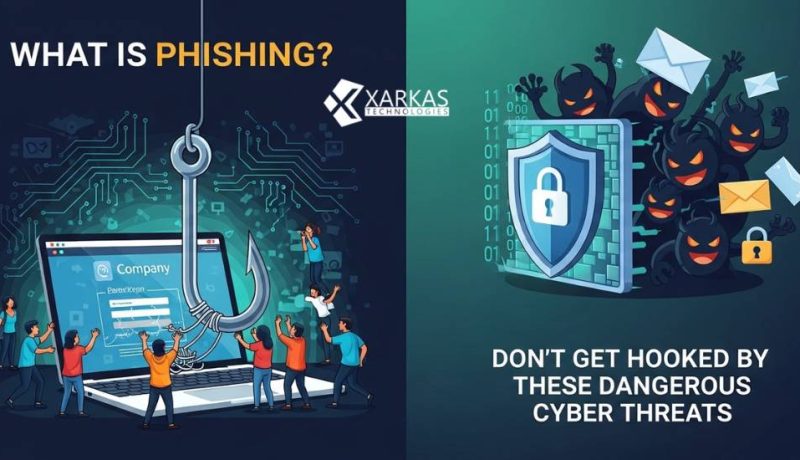
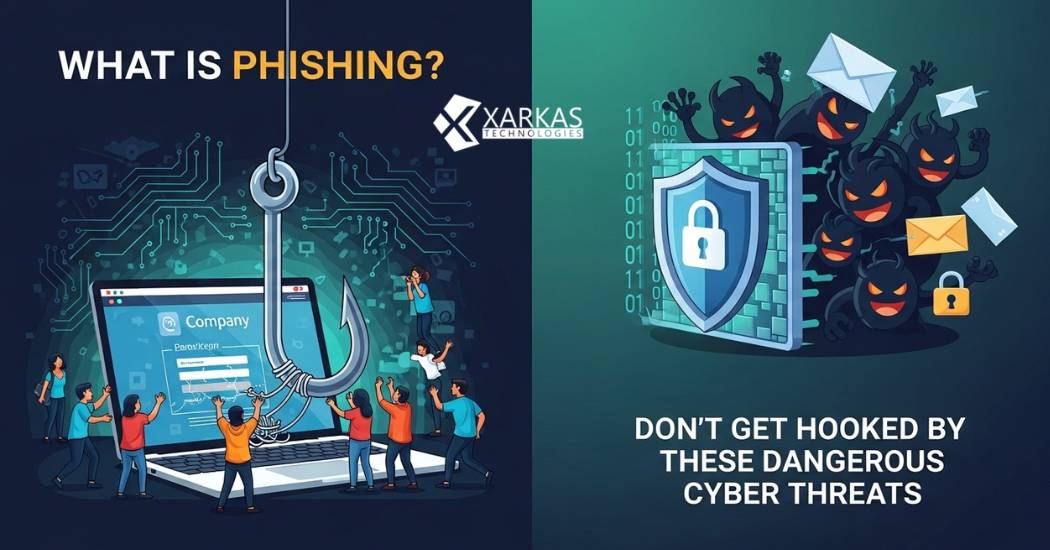
What is Phishing? Dont Get Hooked by These Dangerous Cyber Threats

Table Of Content
- Introduction to Phishing
- The History of Phishing Attacks
- How Does Phishing Work?
- The Psychology Behind Phishing
- Common Phishing Techniques
- Types of Phishing Attacks
- Email Phishing
- Spear Phishing
- Whaling
- Smishing (SMS Phishing)
- Vishing (Voice Phishing)
- Clone Phishing
- Warning Signs of a Phishing Attempt
- Suspicious Email Addresses
- Urgent or Threatening Language
- Generic Greetings
- Suspicious Links and Attachments
- Real-World Examples of Phishing Attacks
- The Impact of Phishing on Individuals and Businesses
- Financial Losses
- Identity Theft
- Reputation Damage
- How to Protect Yourself from Phishing
- Verify the Source
- Use Multi-Factor Authentication
- Keep Software Updated
- Educate Yourself and Others
- What to Do If You Fall Victim to Phishing
- The Role of Technology in Fighting Phishing
- Email Filters and Anti-Phishing Tools
- Browser Security Features
- The Future of Phishing Threats
- Final Thought
- FAQs
- 1. Can you get phished by simply opening an email?
- 2. How can I tell if a website is legitimate or a phishing site?
- 3. What should I do if I accidentally clicked a phishing link but didn’t enter any information?
- 4. Are some people more vulnerable to phishing than others?
- 5. How do companies and banks actually communicate with customers?
Introduction to Phishing
Have you ever received an email that looked legitimate but something just felt… off? Maybe it was from your “bank” asking you to verify your account details, or perhaps a message claiming you’ve won a prize you never entered. Welcome to the world of phishing—one of the most prevalent cyber threats facing internet users today.
Phishing is a type of cybercrime where attackers impersonate legitimate organizations or individuals to trick you into revealing sensitive information like passwords, credit card numbers, or social security details. Think of it as digital fishing, where cybercriminals cast out baited hooks hoping someone will bite. The difference? Instead of catching fish, they’re after your personal data, money, and identity.
In our increasingly connected world, understanding phishing isn’t just helpful—it’s essential. Whether you’re checking emails at work, scrolling through text messages, or answering phone calls, phishing attacks can strike anywhere, anytime. Let’s dive deep into this digital menace and learn how to stay safe.
The History of Phishing Attacks
Phishing isn’t a new phenomenon. The term was coined in the mid-1990s by hackers who were “fishing” for user information using fraudulent emails. The “ph” spelling is a nod to “phreaking,” an earlier form of hacking involving telephone systems.
The first recorded phishing attacks targeted AOL users in 1995. Cybercriminals would steal user passwords and use them to create fake accounts, which they’d then use to scam others. As the internet evolved, so did phishing techniques. What started as relatively simple scams has transformed into sophisticated operations that can fool even tech-savvy individuals.
Today, phishing has become a multi-billion-dollar criminal industry. According to recent statistics, phishing attacks have increased exponentially, with millions of attempts made every single day worldwide. The tactics have grown more refined, the targets more varied, and the consequences more severe.
How Does Phishing Work?
The Psychology Behind Phishing
Why do phishing attacks work so well? Because they exploit human psychology rather than technical vulnerabilities. Cybercriminals are master manipulators who understand how our minds work.
They create urgency: “Your account will be closed in 24 hours!” They invoke fear: “Suspicious activity detected on your account!” They offer rewards: “You’ve won $1,000!” These emotional triggers bypass our rational thinking and push us toward quick action without proper scrutiny.
Phishers also leverage trust. We’re conditioned to trust emails from banks, government agencies, and well-known companies. When an email appears to come from a trusted source, our guard naturally lowers. That’s exactly what attackers count on.
Common Phishing Techniques
Phishing attacks typically follow a pattern. First, the attacker identifies a target—this could be anyone from random internet users to specific employees at a company. Next, they craft a convincing message that impersonates a trusted entity. This message contains either a malicious link or attachment.
When you click the link, you’re often directed to a fake website that looks identical to the real one. Here’s where the trap springs: you enter your credentials, thinking you’re logging into your actual account, but you’re actually handing your information directly to the criminals.
Attachments work differently. They might contain malware that, once opened, installs software on your device to steal information or gain control of your system. Some sophisticated attacks combine multiple techniques for maximum effectiveness.
Types of Phishing Attacks
Email Phishing
This is the most common form of phishing. Attackers send mass emails to thousands or millions of people, hoping a percentage will fall for the scam. These emails often impersonate popular services like PayPal, Amazon, or Microsoft.
The beauty (from a criminal’s perspective) of email phishing is the numbers game. Even if only 0.1% of recipients respond, that could still mean thousands of victims from a single campaign.
Spear Phishing
Unlike generic email phishing, spear phishing is targeted and personalized. Attackers research their victims beforehand, gathering information from social media, company websites, or data breaches. They then craft highly convincing messages that reference specific details about you, your job, or your organization.
Imagine receiving an email from your “boss” asking you to urgently wire money to a vendor, using details about a real project you’re working on. That’s spear phishing, and it’s alarmingly effective.
Whaling
Whaling is spear phishing aimed at the big fish—CEOs, CFOs, and other high-profile executives. These attacks are meticulously planned and executed because the payoff can be enormous. A successful whaling attack might result in massive wire transfers, access to confidential corporate data, or compromised business systems.
Smishing (SMS Phishing)
Your phone buzzes with a text message: “Your package couldn’t be delivered. Click here to reschedule.” That’s smishing—phishing via SMS. With people increasingly using smartphones for everything, text messages have become another avenue for attackers.
Smishing often uses shortened URLs that hide the actual destination, making it harder to identify malicious links. The limited screen space on phones also makes it more difficult to scrutinize messages carefully.
Vishing (Voice Phishing)
Ever received a call from the “IRS” claiming you owe taxes and threatening arrest? That’s vishing. These voice-based phishing attacks use phone calls to extract information or convince victims to transfer money.
Vishers often use caller ID spoofing to make calls appear legitimate. They might claim to be from your bank’s fraud department, tech support, or government agencies. The human voice adds an element of urgency and authenticity that makes these scams particularly convincing.
Clone Phishing
Clone phishing involves creating a nearly identical copy of a legitimate email you previously received. The attacker replaces legitimate links or attachments with malicious ones and resends the email, claiming it’s a resend or updated version.
Because you recognize the original email, you’re more likely to trust the clone. It’s like creating a counterfeit key that looks exactly like the real thing.
Warning Signs of a Phishing Attempt
Suspicious Email Addresses
Look closely at the sender’s email address. Phishers often use addresses that look similar to legitimate ones but contain subtle differences. For example, “support@paypa1.com” (with a number 1 instead of the letter l) or “noreply@amazon-security.com” (adding extra words).
Sometimes the display name looks correct, but when you check the actual email address, it’s completely different. Always verify the full email address, not just the display name.
Urgent or Threatening Language
“Act now or your account will be suspended!” Legitimate companies rarely demand immediate action through threatening emails. This urgency is designed to make you panic and act without thinking.
Be especially wary of messages claiming there’s suspicious activity on your account, unpaid bills with dire consequences, or limited-time offers that seem too good to be true. These are classic phishing tactics.
Generic Greetings
“Dear Customer” or “Dear Sir/Madam” instead of your actual name? While not always a sign of phishing, it’s a red flag. Legitimate companies usually address you by name since they have your information in their database.
However, beware—sophisticated phishers might also use your name if they’ve obtained it from data breaches or social media.
Suspicious Links and Attachments
Before clicking any link, hover your mouse over it (on desktop) to see where it actually leads. Does the URL match the supposed sender? Are there strange misspellings or extra characters?
Never open unexpected attachments, especially with extensions like .exe, .zip, or .scr. Even documents can contain malicious macros. When in doubt, contact the supposed sender through official channels to verify.
Real-World Examples of Phishing Attacks
Phishing isn’t just theoretical—it causes real damage every day. In 2016, Google and Facebook were scammed out of over $100 million by a phisher who sent fake invoices impersonating a legitimate vendor. Both tech giants paid the invoices without realizing they were fake.
During tax season, countless people receive emails claiming to be from the IRS or tax preparation services. These emails often promise refunds or threaten penalties, leading victims to provide social security numbers and financial information.
The COVID-19 pandemic created a goldmine for phishers. Scammers sent emails about stimulus checks, vaccine appointments, and work-from-home opportunities. They exploited people’s fears and confusion during an uncertain time.
More recently, cryptocurrency phishing has exploded. Fake emails about wallet security, new investment opportunities, or account verifications trick crypto holders into revealing their private keys or sending funds to fraudulent addresses.
The Impact of Phishing on Individuals and Businesses
Financial Losses
The most immediate impact is financial. Individuals might lose life savings, while businesses can suffer losses ranging from thousands to millions of dollars. Bank accounts get drained, credit cards get maxed out, and fraudulent transactions pile up.
Recovery can be lengthy and complicated. Even if you eventually get your money back, the process involves countless hours dealing with banks, credit bureaus, and law enforcement.
Identity Theft
When phishers steal your personal information, they can open credit accounts, file fraudulent tax returns, obtain medical services, or commit crimes in your name. Identity theft can haunt victims for years, damaging credit scores and creating legal headaches.
Imagine discovering you’re wanted for crimes you didn’t commit or that you owe thousands in medical bills for procedures you never had. That’s the nightmare of identity theft stemming from phishing.
Reputation Damage
For businesses, phishing attacks can destroy reputations built over decades. If customer data gets compromised, trust evaporates. News of a successful phishing attack can cause stock prices to plummet and customers to flee to competitors.
Individuals also suffer reputation damage, especially if their compromised accounts are used to phish their own contacts. Your friends and family might receive scam emails from “you,” damaging relationships and credibility.
How to Protect Yourself from Phishing
Verify the Source
Never take emails, texts, or calls at face value. If you receive a message claiming to be from your bank, don’t click links in the email. Instead, go directly to the bank’s website by typing the URL yourself or call their official customer service number.
Use official contact methods listed on legitimate websites, not contact information provided in suspicious messages. This simple step can prevent most phishing attacks.
Use Multi-Factor Authentication
Multi-factor authentication (MFA) adds an extra security layer beyond passwords. Even if phishers steal your password, they can’t access your account without the second factor—usually a code sent to your phone or generated by an authenticator app.
Enable MFA on every account that offers it, especially email, banking, and social media. It’s one of the most effective defenses against credential theft.
Keep Software Updated
Software updates aren’t just about new features—they patch security vulnerabilities that phishers exploit. Keep your operating system, browser, antivirus software, and apps updated to the latest versions.
Enable automatic updates when possible. These updates often include improved phishing detection and protection features.
Educate Yourself and Others
Knowledge is power. Stay informed about the latest phishing tactics. Share this knowledge with family, friends, and coworkers. Many successful attacks target the least tech-savvy person in an organization or family.
Regular training and awareness can create a human firewall that’s just as important as technical defenses.
What to Do If You Fall Victim to Phishing
Don’t panic, but act quickly. If you’ve clicked a phishing link or provided information:
First, change your passwords immediately, especially if you reuse passwords across multiple accounts. Second, contact your bank and credit card companies to alert them of potential fraud. They can monitor for suspicious activity and freeze accounts if necessary.
Third, run a complete antivirus scan on your device to check for malware. Fourth, report the phishing attempt to the organization being impersonated and to relevant authorities like the Federal Trade Commission (FTC).
Monitor your accounts closely for unusual activity. Consider placing a fraud alert or credit freeze with credit bureaus. Document everything—save emails, take screenshots, and keep records of all communications.
Remember, falling for a phishing scam doesn’t mean you’re stupid. These attacks are designed by professionals to fool people. What matters is how quickly and effectively you respond.
The Role of Technology in Fighting Phishing
Email Filters and Anti-Phishing Tools
Modern email services use sophisticated algorithms to detect and filter phishing emails. Gmail, Outlook, and other providers analyze billions of emails to identify patterns, suspicious links, and known phishing indicators.
Anti-phishing browser extensions like Netcraft, Avast, or built-in browser protections warn you when visiting known phishing sites. Password managers can also help by refusing to autofill credentials on fake websites that don’t match the legitimate URL.
Browser Security Features
Web browsers have built-in phishing protection that compares websites against databases of known phishing sites. Chrome, Firefox, Safari, and Edge all offer this feature, displaying warnings when you attempt to visit malicious pages.
Keep these features enabled and pay attention to security warnings. While not perfect, they catch many phishing attempts before you even see them.
The Future of Phishing Threats
Phishing is evolving rapidly. Artificial intelligence now enables attackers to create more convincing messages, deepfake technology can replicate voices and videos, and increasingly sophisticated social engineering makes attacks harder to detect.
We’re also seeing phishing expand into new platforms—social media DMs, messaging apps, gaming platforms, and virtual reality environments. As we adopt new technologies, phishers will follow.
However, defensive technology is also improving. AI-powered detection systems, blockchain-based verification, and biometric authentication offer hope. The key is staying vigilant and adapting our defenses as quickly as threats evolve.
The battle between phishers and defenders will never truly end—it’s a constant arms race. Your best defense is staying informed, skeptical, and proactive about security.
Final Thought
Phishing remains one of the most dangerous cyber threats because it targets the weakest link in any security system—humans. But understanding what phishing is, how it works, and how to spot it gives you powerful protection.
Remember the core principle: verify before you trust. Whether it’s an email, text, call, or message, take a moment to question its legitimacy. Check the source, look for warning signs, and when in doubt, contact the organization directly through official channels.
Protect yourself with strong, unique passwords, multi-factor authentication, and regular software updates. Educate those around you because cybersecurity is a community effort. Stay informed about new phishing tactics and remain appropriately skeptical of unsolicited communications.
Phishing attacks will continue to evolve, becoming more sophisticated and harder to detect. But with awareness, caution, and the right tools, you can significantly reduce your risk. Don’t let cybercriminals reel you in—stay vigilant, stay safe, and keep your digital life secure.
FAQs
1. Can you get phished by simply opening an email?
Generally, no. Simply opening an email typically won’t compromise your device. However, clicking links, downloading attachments, or enabling content in the email can trigger phishing attacks. Some older email clients had vulnerabilities that could be exploited just by opening emails, but modern email services have largely addressed these issues. Still, it’s best practice to delete suspicious emails without opening them.
2. How can I tell if a website is legitimate or a phishing site?
Check for HTTPS in the URL (the padlock symbol), but remember that phishing sites can also have SSL certificates. Look closely at the exact domain name for misspellings or extra characters. Verify the site’s contact information and check for professional design and correct grammar. When in doubt, navigate to the site directly by typing the URL rather than clicking links, or search for official contact information to verify.
3. What should I do if I accidentally clicked a phishing link but didn’t enter any information?
You should still take precautions. Run a full antivirus scan on your device to check for malware. Clear your browser cache and cookies. Change passwords for important accounts, especially if you use the same passwords across multiple sites. Monitor your accounts for suspicious activity over the following weeks. If you clicked the link on a work device, report it to your IT department immediately.
4. Are some people more vulnerable to phishing than others?
While anyone can fall victim to phishing, studies show certain groups face higher risks. Older adults who are less familiar with technology, busy professionals who process many emails quickly, and people in high-stress situations are more susceptible. However, even cybersecurity experts have been fooled by sophisticated phishing attacks. The key isn’t assuming you’re immune but maintaining constant vigilance.
5. How do companies and banks actually communicate with customers?
Legitimate companies typically don’t ask for sensitive information via email, text, or phone calls you didn’t initiate. Banks won’t ask you to verify your account by clicking email links or providing passwords. Most legitimate communications will direct you to log into your account through the official website or app, or they’ll ask you to call them using the number on your card or their official website. When uncertain, always contact the company directly using verified contact information.



No Comment! Be the first one.