


CountLoader and GachiLoader Malware: Understanding the Emerging Cyber Threats

Table Of Content
- Introduction to Modern Malware Threats
- What is CountLoader Malware?
- Origins and Discovery of CountLoader
- How CountLoader Operates
- Primary Targets of CountLoader
- What is GachiLoader Malware?
- The Emergence of GachiLoader
- Technical Characteristics of GachiLoader
- Distribution Methods Used by GachiLoader
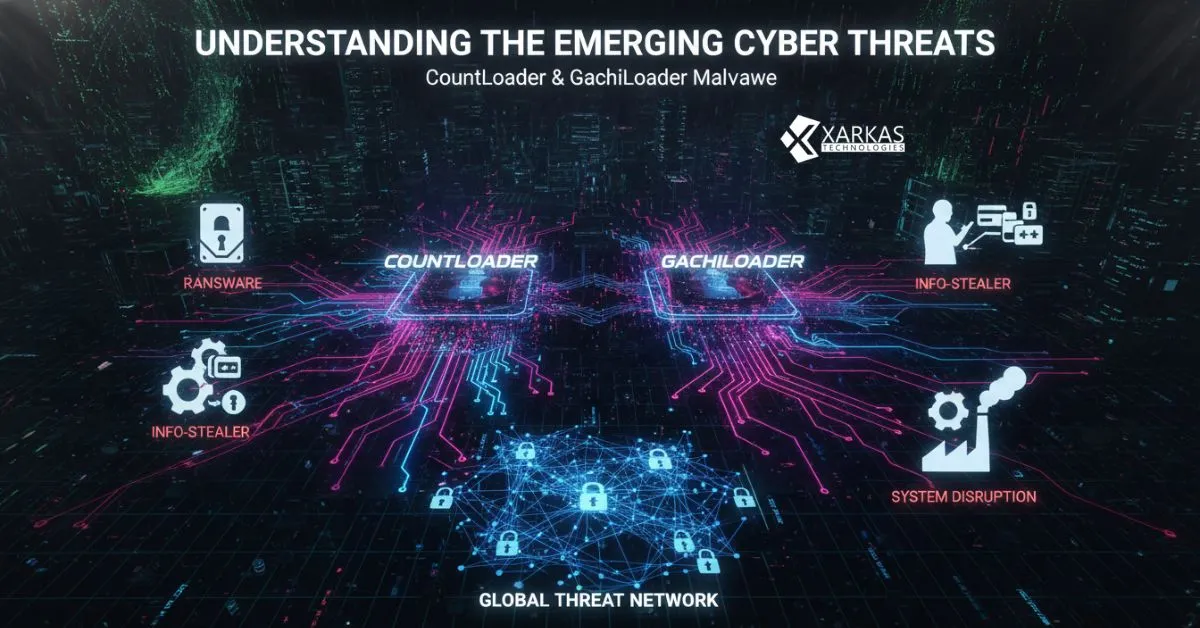
- How CountLoader and GachiLoader Work Together
- The Malware-as-a-Service Model
- Infection Chain and Delivery Mechanisms
- Common Attack Vectors and Distribution Channels
- Malicious Email Campaigns
- SEO Poisoning and Fake Software Sites
- Exploiting Software Vulnerabilities
- The Impact of CountLoader and GachiLoader on Businesses
- Financial Losses and Data Breaches
- Operational Disruptions
- Reputational Damage
- Real-World Examples of CountLoader and GachiLoader Attacks
- Technical Analysis of These Malware Families
- Code Obfuscation Techniques
- Persistence Mechanisms
- Command and Control Infrastructure
- Detection and Prevention Strategies
- Endpoint Protection Solutions
- Network Monitoring and Anomaly Detection
- Employee Training and Awareness
- What to Do If You’re Infected
- Immediate Response Steps
- Malware Removal Procedures
- Recovery and System Restoration
- The Future of Loader-Type Malware
- Evolving Tactics and Techniques
- Predictions for Cybersecurity Landscape
- Best Practices for Long-Term Protection
- Conclusion
- FAQs About CountLoader and GachiLoader Malware
Introduction to Modern Malware Threats
Picture this: you’re working on an important project, and suddenly your computer starts behaving strangely. Files disappear, applications crash, and your antivirus software goes haywire. You might have just become another victim of sophisticated malware like CountLoader or GachiLoader. These aren’t your run-of-the-mill computer viruses—they’re advanced threats that have been causing headaches for cybersecurity professionals worldwide.
In today’s digital landscape, malware has evolved from simple annoying programs into complex, multi-stage attack platforms. CountLoader and GachiLoader represent a new breed of threats that function as gateways for even more dangerous payloads. Think of them as the skeleton keys that cybercriminals use to unlock your digital fortress, allowing them to install whatever malicious software they want once they’re inside.
Understanding these threats isn’t just for IT professionals anymore. Whether you’re a business owner, an employee handling sensitive data, or just someone who values their digital privacy, knowing about CountLoader and GachiLoader could be the difference between staying safe and becoming the next ransomware victim.
What is CountLoader Malware?
Origins and Discovery of CountLoader
CountLoader first emerged in the cybersecurity radar around 2021, though researchers believe it may have been operating under the radar for some time before that. This malware belongs to a category called “loaders”—programs specifically designed to download and execute additional malicious software on infected systems.
What makes CountLoader particularly nasty is its stealthy nature. Unlike older malware that announced its presence with flashy pop-ups or immediate system crashes, CountLoader works quietly in the background. It’s like a burglar who picks your lock silently rather than smashing through your window.
The malware was named “CountLoader” by security researchers who analyzed its characteristics and behavior patterns. Since its discovery, it has been linked to numerous cyber attacks targeting organizations across various sectors, from healthcare to finance.
How CountLoader Operates
CountLoader follows a sophisticated infection process that makes it difficult to detect and remove. Once it infiltrates a system, it establishes a foothold by modifying system settings and creating persistence mechanisms. This ensures that even if you restart your computer, the malware comes back to life.
The malware communicates with command-and-control servers operated by cybercriminals. These servers send instructions to the infected machine, telling it which additional malware to download and install. This could include ransomware, banking trojans, information stealers, or cryptocurrency miners.
What’s particularly clever about CountLoader is its use of legitimate-looking processes to hide its activities. It might disguise itself as a system update or a legitimate software component, making it incredibly difficult for average users to spot anything suspicious.
Primary Targets of CountLoader
While CountLoader doesn’t discriminate and can infect any Windows system, cybercriminals using this malware tend to focus on specific targets. Small to medium-sized businesses are particularly vulnerable because they often lack the robust cybersecurity infrastructure of larger corporations.
The malware has also been observed targeting individuals in specific industries, particularly those who might have access to valuable information or financial resources. Healthcare workers, financial professionals, and government employees have all been targeted in various campaigns.
Geographic distribution of attacks suggests that CountLoader operators focus primarily on English-speaking countries and European nations, though infections have been reported globally.
What is GachiLoader Malware?
The Emergence of GachiLoader
GachiLoader is a newer player in the malware scene, having been identified by security researchers more recently than CountLoader. Despite being relatively new, it has quickly gained notoriety for its effectiveness and the damage it can cause.
The name “GachiLoader” comes from specific strings and identifiers found within the malware’s code. Like its counterpart CountLoader, GachiLoader serves as a delivery mechanism for secondary payloads, but it brings its own unique tricks to the table.
One thing that sets GachiLoader apart is its rapid evolution. The malware’s developers continuously update and refine their creation, adding new evasion techniques and improving its ability to bypass security software. It’s like they’re constantly upgrading their toolkit to stay ahead of defenders.
Technical Characteristics of GachiLoader
GachiLoader employs advanced obfuscation techniques that make analysis extremely challenging. The malware code is wrapped in multiple layers of encryption and packing, similar to how a gift might be wrapped in multiple boxes—except in this case, each layer is designed to confuse security researchers and evade detection systems.
The malware demonstrates sophisticated anti-analysis capabilities. If it detects that it’s running in a virtual machine or sandbox environment (tools that security researchers use to safely study malware), it can alter its behavior or simply refuse to run. This makes traditional analysis methods less effective.
Another notable characteristic is GachiLoader’s modular architecture. Different components handle different tasks—one module might focus on maintaining persistence, another on communication with command-and-control servers, and yet another on downloading payloads. This modularity makes the malware more flexible and harder to completely remove.
Distribution Methods Used by GachiLoader
GachiLoader spreads through multiple channels, with phishing emails being among the most common. These aren’t the obvious “Nigerian prince” scams of yesteryear—modern phishing campaigns are highly sophisticated, often impersonating legitimate companies or individuals you might actually know.
The malware has also been distributed through malicious advertisements (malvertising) on legitimate websites. You might click on what looks like a genuine download button for a PDF reader or system utility, only to download GachiLoader instead.
Another distribution vector involves compromised websites. Attackers inject malicious code into legitimate websites, which then silently attempts to download and install GachiLoader on visitors’ computers. This is particularly insidious because users trust these legitimate sites and have no reason to suspect anything is wrong.
How CountLoader and GachiLoader Work Together
The Malware-as-a-Service Model
Both CountLoader and GachiLoader operate within what cybersecurity professionals call the “Malware-as-a-Service” (MaaS) ecosystem. Think of this as the dark side of cloud computing—instead of legitimate software services, criminals rent access to malware infrastructure.
In this model, the developers of CountLoader and GachiLoader don’t necessarily conduct the attacks themselves. Instead, they provide their malware to other cybercriminals (called affiliates) who pay for access. It’s like franchising, but for cybercrime.
This business model has made sophisticated malware accessible to less technically skilled criminals. You no longer need to be a programming genius to launch devastating attacks—you just need money to rent the right tools.
Infection Chain and Delivery Mechanisms
The typical infection begins with a loader like CountLoader or GachiLoader gaining initial access to a system. Once established, these loaders assess the infected environment to determine what additional malware would be most profitable to deploy.
For example, if the infected computer appears to belong to someone with cryptocurrency wallets, the loader might download a cryptocurrency stealer. If it’s a business computer with access to corporate networks, it might deploy ransomware or network reconnaissance tools.
The loaders can deliver multiple payloads over time, essentially turning your infected computer into a platform for ongoing criminal activity. This makes them particularly dangerous compared to standalone malware that performs a single malicious action and then stops.
Common Attack Vectors and Distribution Channels
Malicious Email Campaigns
Email remains one of the most effective ways to distribute malware, and both CountLoader and GachiLoader leverage this extensively. Attackers craft convincing messages that appear to come from trusted sources—your bank, a shipping company, a government agency, or even a colleague.
These emails often create a sense of urgency. They might claim your account will be closed unless you verify information, or that you have an outstanding invoice that needs immediate payment. This psychological pressure causes people to act quickly without thinking critically about whether the email is legitimate.
The attachments or links in these emails look harmless. A Word document, an Excel spreadsheet, or a PDF file all seem innocuous. However, these files contain macros or exploits that, when opened, download and execute the malware.
SEO Poisoning and Fake Software Sites
Ever searched for free software or cracked versions of paid programs? Cybercriminals know people do this constantly, and they’ve poisoned search results to take advantage. They create fake websites that rank highly for popular software searches.
When you download what you think is a legitimate program, you’re actually downloading CountLoader or GachiLoader bundled with it. Sometimes you might even get the software you wanted—along with the malware as an unwelcome bonus.
This technique, called SEO poisoning, involves manipulating search engine algorithms to make malicious sites appear legitimate and trustworthy. The sites often feature convincing reviews, professional-looking designs, and all the hallmarks of legitimate software distribution platforms.
Exploiting Software Vulnerabilities
Both malware families can exploit vulnerabilities in commonly used software. If you haven’t updated your operating system, web browser, or other applications recently, you might have security holes that CountLoader or GachiLoader can slip through.
These exploits work silently, requiring no interaction from the user. Simply visiting a compromised website or opening a specially crafted file can be enough to trigger the exploit and install the malware.
This is why security updates are so important. Software vendors release patches specifically to close these security gaps, but they can only protect you if you actually install them.
The Impact of CountLoader and GachiLoader on Businesses
Financial Losses and Data Breaches
When CountLoader or GachiLoader infects a business system, the financial consequences can be devastating. These loaders often deliver ransomware as a secondary payload, encrypting critical business data and demanding payment for its release. Ransom demands can range from thousands to millions of dollars.
Beyond direct ransom payments, businesses face costs from system downtime, data recovery efforts, forensic investigations, and legal fees. According to industry reports, the average cost of a malware incident can exceed hundreds of thousands of dollars for medium-sized businesses.
Data breaches resulting from these infections can expose customer information, intellectual property, and trade secrets. The regulatory fines for failing to protect customer data can be substantial, especially under laws like GDPR in Europe or various state privacy laws in the US.
Operational Disruptions
Imagine your entire business grinding to a halt because critical systems are infected. Employees can’t access files, production lines stop, customer service systems go offline, and online operations cease. This is the reality for businesses hit by malware delivered through CountLoader or GachiLoader.
The disruption extends beyond just the infected systems. Security teams must isolate affected machines, potentially taking entire network segments offline to prevent spread. This cautious approach is necessary but can expand the operational impact far beyond the initial infection.
Recovery can take days or even weeks, during which business operates at reduced capacity or not at all. For businesses with thin margins or time-sensitive operations, this disruption can be existential.
Reputational Damage
When customers learn that a business has been compromised and their data potentially exposed, trust evaporates. In today’s connected world, news of security breaches spreads rapidly through social media and news outlets.
The reputational damage can be more costly than the immediate financial impact. Customers may take their business elsewhere, partners may reconsider relationships, and prospective clients may choose competitors they perceive as more secure.
Rebuilding trust requires significant investment in both improved security measures and public relations efforts. Some businesses never fully recover their reputation after a major security incident.
Real-World Examples of CountLoader and GachiLoader Attacks
Throughout 2023 and 2024, numerous organizations fell victim to attacks involving these loaders. While specific victim names are often kept confidential, cybersecurity firms have documented several notable campaigns.
One campaign targeted accounting firms during tax season, using emails purporting to contain tax documents. When the accountants opened these documents, CountLoader was silently installed, later deploying ransomware that encrypted client tax files. The timing was particularly malicious, as tax deadlines created pressure to pay ransoms quickly.
Another case involved a manufacturing company where GachiLoader was introduced through a compromised software update mechanism. The malware spread throughout the corporate network before deploying cryptocurrency mining software that consumed computing resources and dramatically increased electricity costs.
Healthcare organizations have also been targeted, with infections leading to delayed medical procedures and compromised patient records. In one incident, a hospital’s electronic health record system was partially encrypted, forcing staff to revert to paper records while IT teams worked to restore systems.
These real-world cases illustrate that CountLoader and GachiLoader aren’t theoretical threats—they’re causing genuine harm to organizations and individuals every day.
Technical Analysis of These Malware Families
Code Obfuscation Techniques
Both CountLoader and GachiLoader employ sophisticated obfuscation to hide their true nature from security software. Code obfuscation is like speaking in elaborate code—the underlying instructions are there, but they’re disguised to look like something else entirely.
The malware uses techniques like string encryption, where all text strings in the code are encrypted and only decrypted at runtime. This prevents signature-based detection systems from identifying known malicious strings. Control flow obfuscation makes the program’s logic flow confusing and difficult to follow, even for experienced analysts.
Polymorphic code is another technique both malware families employ. Each time the malware infects a new system, it slightly modifies its own code, creating a unique signature. It’s like a criminal who wears a different disguise for every crime—traditional signature-based detection struggles to keep up.
Persistence Mechanisms
Establishing persistence is crucial for malware—what good is infecting a system if the infection disappears after a reboot? CountLoader and GachiLoader use multiple redundant persistence mechanisms to ensure they survive system restarts and remain active.
Common techniques include modifying Windows Registry keys to launch the malware at startup, creating scheduled tasks that execute the malware at regular intervals, and installing themselves as system services that run continuously in the background.
More advanced variants have been observed using fileless persistence techniques, where the malware stores its code in registry keys or WMI (Windows Management Instrumentation) subscriptions rather than as traditional files on disk. This makes detection and removal significantly more challenging.
Command and Control Infrastructure
Both malware families communicate with command-and-control (C2) servers to receive instructions and exfiltrate data. The C2 infrastructure is often distributed across multiple servers in different geographic locations, making it difficult for law enforcement to shut down.
The malware uses various techniques to hide its C2 communications. Traffic may be encrypted to prevent network monitoring tools from identifying suspicious patterns. Some variants use domain generation algorithms (DGAs) to create new C2 domain names regularly, making it harder to block communication channels.
More sophisticated versions employ legitimate services as C2 channels. They might use social media APIs, cloud storage services, or other legitimate platforms to receive commands and send data. This technique blends malicious traffic with normal internet usage, making detection extremely challenging.
Detection and Prevention Strategies
Endpoint Protection Solutions
Modern endpoint protection goes far beyond traditional antivirus software. Next-generation antivirus (NGAV) solutions use behavioral analysis and machine learning to identify suspicious activities even when the specific malware signature is unknown.
Endpoint Detection and Response (EDR) systems provide continuous monitoring and automated response capabilities. These systems can detect the behavioral patterns associated with CountLoader and GachiLoader, such as unusual network connections, suspicious process executions, or attempts to modify system settings.
However, endpoint protection is only effective if it’s properly configured, regularly updated, and not disabled by users. Many infections occur on systems where security software was disabled or hadn’t been updated with the latest threat intelligence.
Network Monitoring and Anomaly Detection
Network-level security provides an additional layer of defense. Network monitoring tools can identify suspicious traffic patterns that might indicate C2 communications or data exfiltration attempts.
Intrusion Detection Systems (IDS) and Intrusion Prevention Systems (IPS) can block known malicious IP addresses and domains associated with CountLoader and GachiLoader infrastructure. Security Information and Event Management (SIEM) systems correlate data from multiple sources to identify complex attack patterns.
DNS filtering can prevent systems from connecting to known malicious domains, effectively cutting off the malware’s ability to receive commands or download additional payloads.
Employee Training and Awareness
Technology alone cannot prevent all infections—human behavior plays a crucial role. Regular security awareness training helps employees recognize phishing attempts, suspicious links, and other attack vectors used to distribute CountLoader and GachiLoader.
Training should be practical and ongoing, not just an annual checkbox exercise. Simulated phishing campaigns help identify employees who need additional training and reinforce lessons for everyone.
Creating a security-conscious culture where employees feel comfortable reporting suspicious emails or activities without fear of blame is essential. Often, the first sign of an attack is noticed by an end user, not by automated systems.
What to Do If You’re Infected
Immediate Response Steps
If you suspect your system is infected with CountLoader, GachiLoader, or any malware, immediate action is critical. First, disconnect the infected computer from the network—unplug the ethernet cable or disable WiFi. This prevents the malware from spreading to other systems and stops it from communicating with its C2 servers.
Do not attempt to save work or create backups from the infected system, as this might spread the infection to backup storage. Instead, switch to a clean system for any urgent work needs.
Document everything you observed—what unusual behavior you noticed, what you were doing when it started, any error messages or pop-ups that appeared. This information will be valuable for IT professionals investigating the incident.
Malware Removal Procedures
Professional malware removal is strongly recommended, especially for business systems. While consumer antimalware tools can sometimes remove these threats, advanced malware like CountLoader and GachiLoader often requires specialized tools and expertise to completely eradicate.
The removal process typically involves booting into a clean environment (perhaps from a bootable USB drive with specialized security tools) to scan and clean the infected system. This prevents the malware from actively defending itself during removal attempts.
In severe cases, the most reliable solution might be to completely wipe the infected system and restore from known-clean backups. While this is time-consuming, it ensures no remnants of the malware remain hidden on the system.
Recovery and System Restoration
After removing the malware, the recovery process begins. Change all passwords from a clean system—assume that any credentials entered on the infected machine were compromised. This includes email passwords, banking credentials, social media accounts, and work systems.
Restore data from clean backups created before the infection occurred. Verify that backup files aren’t infected before restoring them. This is where having multiple backup generations becomes invaluable.
Monitor financial accounts and credit reports for signs of fraud. If the malware included information-stealing components, your personal or financial data might have been compromised.
Conduct a post-incident review to understand how the infection occurred and implement measures to prevent recurrence. Was it a phishing email? An unpatched vulnerability? Employee error? Each incident provides learning opportunities.
The Future of Loader-Type Malware
Evolving Tactics and Techniques
Malware developers continuously adapt their tactics to evade detection and improve effectiveness. We’re already seeing loaders incorporate artificial intelligence to better identify high-value targets and determine which secondary payloads will be most profitable.
Future variants will likely leverage more sophisticated social engineering, creating even more convincing phishing campaigns using deepfake technology and AI-generated content. Imagine receiving a video call from what appears to be your boss asking you to click a link—except it’s actually an AI-generated deepfake.
The integration of loaders with legitimate cloud services and infrastructure will continue, making detection increasingly challenging. As organizations move more operations to the cloud, attackers will follow, developing loaders specifically designed to exploit cloud environments.
Predictions for Cybersecurity Landscape
The cybersecurity arms race shows no signs of slowing. As defensive technologies improve, attackers develop new techniques to bypass them. Loader-type malware like CountLoader and GachiLoader will remain a significant threat because they provide flexibility and persistent access that benefits cybercriminals.
We’ll likely see increased automation on both sides—automated attacks met with automated defenses. Machine learning will play a larger role in both creating and detecting malware.
Regulatory pressure will increase, with governments implementing stricter requirements for cybersecurity practices and heavier penalties for organizations that fail to protect data adequately. This might drive improved security practices across industries.
Best Practices for Long-Term Protection
Protecting against CountLoader, GachiLoader, and similar threats requires a multi-layered approach. Keep all software updated with the latest security patches—this includes operating systems, applications, firmware, and security tools.
Implement the principle of least privilege, ensuring users only have access to systems and data necessary for their roles. This limits the potential damage if an account is compromised.
Maintain robust backup systems with multiple generations of backups stored offline or in immutable storage. Regular testing of backup restoration procedures ensures you can actually recover when needed.
Deploy comprehensive security solutions including endpoint protection, network monitoring, email filtering, and web security. No single solution is perfect, but layered defenses make successful attacks significantly more difficult.
Foster a security-aware culture through regular training, clear policies, and leadership commitment to cybersecurity. Technology is important, but people make the final decisions about clicking links, opening attachments, and reporting suspicious activities.
Develop and regularly test an incident response plan. When an infection occurs, having a clear plan dramatically reduces response time and minimizes damage.
Conclusion
CountLoader and GachiLoader represent sophisticated threats in the modern cybersecurity landscape. These malware families exemplify how cybercrime has evolved into a professional, service-oriented industry where advanced tools are readily available to criminals of varying skill levels.
Understanding these threats is the first step toward protection. These loaders don’t operate in isolation—they’re part of complex attack chains that can lead to devastating consequences including ransomware, data theft, and significant financial losses.
Protection requires vigilance at multiple levels: technical defenses, process improvements, and human awareness. No organization or individual is too small to be targeted, and complacency is the enemy of security.
The cyber threat landscape continuously evolves, but by staying informed, maintaining robust security practices, and fostering a security-conscious mindset, you can significantly reduce your risk of falling victim to CountLoader, GachiLoader, or the next generation of malware threats.
Remember, cybersecurity isn’t a destination—it’s an ongoing journey requiring constant attention and adaptation. Stay alert, stay informed, and stay protected.
FAQs About CountLoader and GachiLoader Malware
1. Can Mac or Linux systems be infected with CountLoader or GachiLoader?
Currently, both CountLoader and GachiLoader primarily target Windows systems, as Windows remains the dominant operating system in business environments. However, this doesn’t mean Mac or Linux users are completely safe. Cybercriminals continuously develop variants for different platforms based on where they see profitable opportunities. Mac and Linux users should still maintain security best practices, as other malware families specifically target these operating systems. Cross-platform threats are also emerging that can affect multiple operating systems.
2. How can I tell if my computer is infected with loader malware?
Signs of infection can be subtle but might include unexplained system slowdowns, increased network activity when you’re not actively using the internet, unfamiliar processes running in Task Manager, unexpected pop-ups or browser redirects, antivirus software being disabled or unresponsive, and files or programs you didn’t install. However, advanced malware often operates stealthily without obvious symptoms. Regular security scans with reputable tools and professional security assessments provide the most reliable detection.
3. Is paying a ransom ever the right decision if my system gets encrypted?
Cybersecurity experts and law enforcement agencies consistently advise against paying ransoms. Payment doesn’t guarantee data recovery, may not remove the malware from your system, funds criminal enterprises that victimize others, and marks you as someone willing to pay, potentially inviting future attacks. Instead, focus on prevention through robust backup systems and security practices. If you do face a ransomware situation, consult with cybersecurity professionals and law enforcement before making any payment decisions.
4. How often should businesses conduct security training for employees?
Effective security awareness training should be ongoing, not a one-time event. Best practices include conducting comprehensive training at least quarterly, with monthly security tips or reminders, immediate training when new threats emerge, simulated phishing tests several times per year, and specialized training for employees with elevated access privileges. The key is making security awareness part of your organizational culture rather than a checkbox compliance exercise. Regular reinforcement helps maintain vigilance against evolving threats.
5. Are free antivirus solutions sufficient to protect against CountLoader and GachiLoader?
Free antivirus solutions provide basic protection and are better than nothing, but they typically lack the advanced features necessary to defend against sophisticated threats like CountLoader and GachiLoader. Professional-grade security solutions offer behavioral analysis, real-time threat intelligence, centralized management, automated response capabilities, and dedicated support. For businesses, comprehensive paid solutions are essential. For individuals, free solutions can provide reasonable protection if combined with cautious behavior, regular updates, and good security hygiene, though paid solutions offer significantly better protection.


No Comment! Be the first one.