

Table Of Content
- Understanding Android Security
- How Android’s Built-in Security Works
- Google Play Protect Explained
- Common Threats Facing Android Users
- Malware and Viruses
- Phishing Attacks
- Ransomware on Mobile Devices
- Spyware and Adware
- The Case for Installing Antivirus on Android
- Additional Layer of Protection
- Privacy Features and Safe Browsing
- Anti-Theft Capabilities
- The Case Against Antivirus Apps
- Android’s Security is Often Sufficient
- Performance and Battery Drain Concerns
- Privacy Concerns with Third-Party Apps
- Who Actually Needs Antivirus on Android?
- High-Risk Users
- Business and Corporate Devices
- Casual Users and Safe Practices
- Best Practices for Android Security Without Antivirus
- Download Apps Only from Google Play Store
- Keep Your Device Updated
- Review App Permissions Carefully
- Enable Two-Factor Authentication
- Top Antivirus Apps for Android (If You Choose to Use One)
- Features to Look For
- Popular Options in 2024-2025
- Conclusion
- FAQs
If you’ve ever wondered whether your Android phone needs antivirus software, you’re not alone. It’s one of the most frequently asked questions among smartphone users today. With cyber threats evolving constantly and our phones storing everything from banking details to personal photos, security is definitely a concern worth addressing.
But here’s the thing: the answer isn’t as straightforward as a simple yes or no. Android security has come a long way, and Google has implemented several protective measures right into the operating system. At the same time, mobile threats are real and growing. So, do you actually need that antivirus app taking up space on your device? Let’s dive deep into this question and help you make an informed decision.
Understanding Android Security
Before we jump to conclusions about needing extra protection, let’s first understand what Android already does to keep you safe.
How Android’s Built-in Security Works
Android isn’t just an open playground for malicious software. Google has built multiple security layers into the operating system itself. Think of it like a house with several locks on the door—each layer adds protection.
First, there’s the application sandbox. Every app you install runs in its own isolated environment, meaning it can’t access other apps’ data without permission. It’s like giving each app its own room where it can’t snoop on what others are doing.
Android also uses verified boot, which checks the integrity of your device’s software every time you turn it on. If something’s been tampered with, your device will know. Additionally, security updates are pushed regularly to patch vulnerabilities that hackers might exploit.
Google Play Protect Explained
Here’s something many Android users don’t realize: you already have antivirus protection built into your device. It’s called Google Play Protect, and it’s been quietly working in the background since 2017.
Google Play Protect automatically scans apps before you download them from the Play Store and continues monitoring them after installation. It scans billions of apps daily across millions of devices, looking for anything suspicious. If it detects malware or potentially harmful behavior, it warns you or automatically removes the threat.
Does this mean you’re completely safe? Not necessarily, but it’s a solid foundation that many users don’t even know they have.
Common Threats Facing Android Users
Now that we understand Android’s defenses, let’s talk about what you’re defending against. What are the actual threats out there?
Malware and Viruses
Yes, Android malware exists. While it’s not as prevalent as some antivirus companies would have you believe (they do have products to sell, after all), it’s still a legitimate concern. Malware can steal your data, track your activities, or even take control of certain device functions.
Most Android malware comes from apps downloaded outside the official Play Store—those sketchy APK files from random websites. Sometimes, though, malicious apps slip through Google’s defenses and make it into the Play Store itself, though this is becoming increasingly rare.
Phishing Attacks
Phishing is probably a bigger threat than traditional malware for most users. These are those fake emails, text messages, or websites designed to trick you into revealing passwords, credit card numbers, or other sensitive information.
The clever thing about phishing is that it doesn’t require breaking through your phone’s security—it just needs to trick you. A fake banking website can look incredibly convincing, and all the antivirus software in the world won’t help if you willingly enter your password.
Ransomware on Mobile Devices
Ransomware locks your device or encrypts your files, then demands payment to restore access. While more common on computers, mobile ransomware does exist and can be devastating if you don’t have backups.
Spyware and Adware
Spyware secretly monitors your activities—what you browse, what you type, where you go. Adware bombards you with unwanted advertisements, sometimes so aggressively that your phone becomes nearly unusable. Both are annoying, both are violations of privacy, and both can sometimes sneak past basic security measures.
The Case for Installing Antivirus on Android
So why would you want an antivirus app? Let’s look at the arguments in favor.
Additional Layer of Protection
Think of antivirus software as insurance. Android’s built-in security is good, but having an extra layer of protection can catch things that slip through. Some third-party antivirus apps scan for threats that Google Play Protect might miss, especially newer or more sophisticated malware.
It’s like wearing both a seatbelt and having airbags in your car. One might be enough most of the time, but having both certainly doesn’t hurt.
Privacy Features and Safe Browsing
Many modern antivirus apps offer more than just malware scanning. They include features like VPN services, password managers, safe browsing tools that block malicious websites, and privacy audits that show which apps are accessing your data.
These extra features can be genuinely useful, especially if you frequently use public Wi-Fi or visit various websites. Some apps will even scan Wi-Fi networks to check if they’re secure before you connect.
Anti-Theft Capabilities
Lost your phone? Many antivirus apps include anti-theft features that let you remotely locate, lock, or wipe your device. While Android has its own “Find My Device” feature, some antivirus apps offer more advanced options, like taking photos of whoever is using your phone or backing up data before wiping.
The Case Against Antivirus Apps
Now let’s flip the coin and examine why you might not need—or want—antivirus software on your Android device.
Android’s Security is Often Sufficient
For the average user who follows basic security practices, Android’s built-in protection is typically enough. Google Play Protect, combined with regular security updates and the sandboxed app environment, creates a pretty robust security system.
If you’re only downloading apps from the Play Store, keeping your device updated, and not clicking on suspicious links, your risk is already quite low. Adding antivirus might be overkill, like wearing a helmet to walk down the street.
Performance and Battery Drain Concerns
Here’s something antivirus companies don’t advertise: their apps can slow down your phone and drain your battery. Constant scanning, real-time protection, and running background processes all consume system resources.
Is it worth having your phone run slower and your battery die faster for protection you might not even need? That’s a trade-off you’ll have to weigh for yourself.
Privacy Concerns with Third-Party Apps
This is ironic but true: some security apps actually pose privacy risks themselves. They might collect data about your usage habits, the apps you install, websites you visit, and more. This information could be sold to advertisers or used in ways you didn’t expect.
You’re essentially trusting a third-party company with access to sensitive information about your device usage. Make sure you read the privacy policy and understand what data they collect before installing any security app.
Who Actually Needs Antivirus on Android?
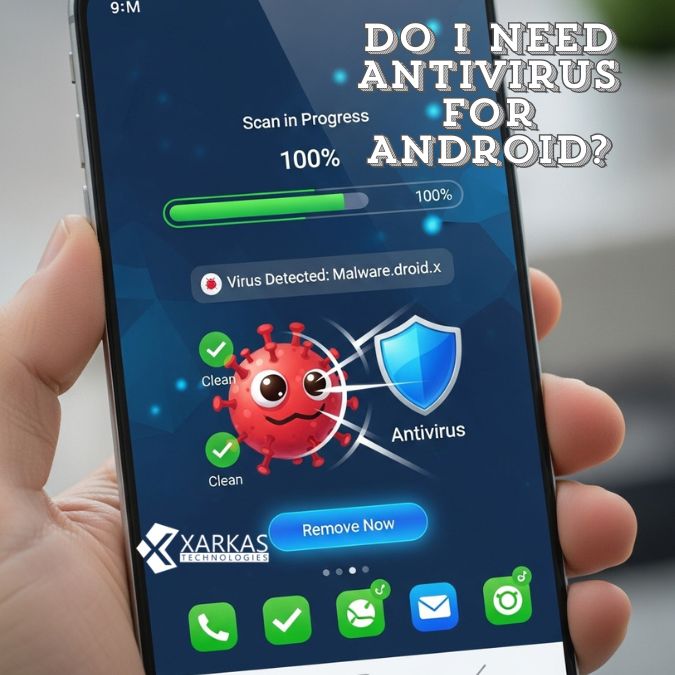
The truth is, whether you need antivirus depends largely on how you use your device and what level of risk you’re comfortable with.
High-Risk Users
If you frequently download apps from outside the Play Store, visit questionable websites, or click on links in emails without verifying their legitimacy, you’re at higher risk. An antivirus app might be a good safety net for your habits.
Similarly, if you’re not tech-savvy and find it difficult to recognize threats, having software that does the thinking for you can provide peace of mind.
Business and Corporate Devices
Using your Android device for work? If you’re accessing company networks, handling sensitive business data, or using corporate email on your phone, your employer might require antivirus software. Business devices often need extra protection because the stakes are higher—a security breach could affect not just you but your entire organization.
Casual Users and Safe Practices
If you’re a casual user who sticks to well-known apps from the Play Store, keeps your device updated, and practices basic digital hygiene, you probably don’t need antivirus. Your biggest threats are likely phishing attempts, which antivirus software can’t fully protect against anyway.
Think of it this way: if you wouldn’t leave your front door unlocked or hand your wallet to strangers, you probably already have the security mindset needed to stay safe without additional software.
Best Practices for Android Security Without Antivirus
Whether you choose to install antivirus or not, these practices will significantly improve your Android security.
Download Apps Only from Google Play Store
This is the single most important thing you can do. The vast majority of Android malware comes from apps downloaded outside the official store. While the Play Store isn’t perfect, Google does scan apps before they’re published and removes malicious ones when discovered.
Resist the temptation to download that modded app or game from a random website. It’s not worth the risk.
Keep Your Device Updated
Those software updates that pop up? Install them. Security patches fix vulnerabilities that hackers actively exploit. Running outdated software is like leaving your windows open when you leave the house.
Enable automatic updates if possible, so you don’t have to remember to check manually.
Review App Permissions Carefully
When an app asks for permissions, actually read what it’s requesting. Does a flashlight app really need access to your contacts? Does a game need to know your location? If something seems off, it probably is.
Android makes it easy to review and modify permissions even after installation. Go through your apps periodically and revoke any permissions that seem unnecessary.
Enable Two-Factor Authentication
For your important accounts—email, banking, social media—enable two-factor authentication (2FA). Even if someone steals your password, they still can’t access your account without that second verification step.
This single practice can prevent most account hijacking attempts, which are far more common than device-level malware infections.
Top Antivirus Apps for Android (If You Choose to Use One)
If you’ve decided that antivirus software makes sense for your situation, here’s what to look for.
Features to Look For
Not all antivirus apps are created equal. Look for apps that offer real-time scanning, web protection, privacy features, and minimal impact on performance. Read reviews specifically about battery drain and system slowdown.
Check whether the app has been independently tested by organizations like AV-TEST or AV-Comparatives. These labs put antivirus software through rigorous testing and can verify whether they actually work as advertised.
Also consider what extra features matter to you. Do you need a VPN? Password manager? App lock? Anti-theft tools? Choose an app that matches your needs without bloating your device with features you’ll never use.
Popular Options in 2024-2025
Some well-regarded options include Bitdefender Mobile Security, Norton Mobile Security, Kaspersky Mobile Antivirus, and Malwarebytes for Android. Each has strengths and weaknesses, so research which best fits your needs.
Many offer free versions with basic protection, while premium versions unlock additional features. Start with the free version and upgrade only if you find you need the extra capabilities.
Conclusion
So, do you need antivirus for Android? The honest answer is: it depends. Android’s built-in security features, particularly Google Play Protect, provide solid protection for most users who follow basic security practices. If you download apps only from the Play Store, keep your device updated, and exercise caution online, you’re probably fine without additional antivirus software.
However, if you’re a high-risk user, handle sensitive business information, or simply want that extra peace of mind, a reputable antivirus app can provide additional protection and useful features. Just be aware of the potential downsides—performance impact, battery drain, and privacy considerations.
The most important “antivirus” is actually between your ears: your awareness and good judgment. Stay informed about security threats, think before you click, and maintain healthy digital habits. That approach will protect you better than any app ever could.
FAQs
1. Can Android phones get viruses?
Yes, Android phones can get malware (which is often called “viruses” even though they’re technically different). However, it’s much less common than on computers, especially if you only download apps from the Google Play Store and keep your device updated. Most threats come from installing apps from untrusted sources outside the official store.
2. Is Google Play Protect enough protection for my Android device?
For most users practicing safe browsing and download habits, Google Play Protect provides adequate protection. It automatically scans apps for malware and monitors device security. However, users who frequently side-load apps, access risky websites, or handle sensitive data might benefit from additional security layers.
3. Do free antivirus apps for Android actually work?
Many free antivirus apps offer legitimate protection, though they typically include fewer features than paid versions. However, be cautious—some “free” security apps actually collect and sell your data or display excessive ads. Stick with well-known brands that have been independently tested and reviewed by reputable security labs.
4. Will antivirus apps slow down my Android phone?
Yes, antivirus apps can impact performance and battery life since they run continuously in the background scanning for threats. The extent of the slowdown varies by app and device. Lighter apps with efficient scanning algorithms minimize this impact, while others can noticeably drain resources, especially on older devices with limited RAM.
5. What’s the biggest security threat to Android users?
Phishing attacks are currently the biggest threat to most Android users. These social engineering attacks trick people into revealing passwords, financial information, or downloading malicious software. Unlike technical exploits, phishing targets human psychology rather than software vulnerabilities, making user awareness and caution your most important defense.





No Comment! Be the first one.