

Table Of Content
- Introduction to Digital Payment Solutions
- What is Google Pay Flex?
- Understanding the Flex Feature
- How Google Pay Flex Works
- Axis Bank Credit Card Overview
- Types of Axis Bank Credit Cards
- Benefits of Axis Bank Credit Cards
- Google Pay Flex with Axis Bank Credit Card
- Integration and Compatibility
- Key Features of the Partnership
- How to Set Up Google Pay Flex on Your Axis Bank Credit Card
- Step-by-Step Setup Guide
- Downloading and Installing Google Pay
- Linking Your Axis Bank Credit Card
- Benefits of Using Google Pay Flex with Axis Bank
- Flexible Payment Options
- Rewards and Cashback Opportunities
- Enhanced Security Features
- Eligibility Criteria and Requirements
- Interest Rates and Charges
- Understanding EMI Options
- Hidden Charges to Watch Out For
- Comparing Google Pay Flex with Other Payment Methods
- Traditional Credit Card Payments
- Other Digital Wallets and BNPL Services
- Real-World Use Cases and User Experiences
- Tips for Maximizing Your Benefits
- Common Issues and Troubleshooting
- Future of Digital Payments in India
- Conclusion
- FAQs
Introduction to Digital Payment Solutions
Have you ever wished you could split your credit card payments into bite-sized chunks without drowning in paperwork? Welcome to the future of financial flexibility! Digital payment solutions have revolutionized how we manage money, and the combination of Google Pay Flex with Axis Bank credit cards represents the cutting edge of this transformation.
In today’s fast-paced world, managing finances requires more than just swiping a card and hoping for the best. We need tools that adapt to our lifestyle, not the other way around. That’s exactly what Google Pay Flex brings to the table when paired with your Axis Bank credit card—a seamless blend of convenience, flexibility, and smart financial management.
What is Google Pay Flex?
Understanding the Flex Feature
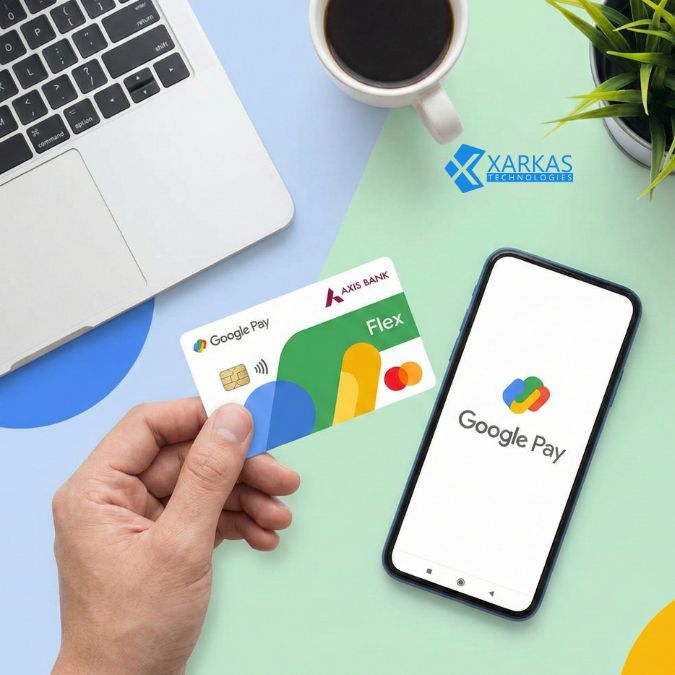
Google Pay Flex is essentially your financial Swiss Army knife. Think of it as a “buy now, pay later” feature that’s built right into your favorite payment app. Unlike traditional credit card purchases where you pay everything at once or convert to EMI later, Flex lets you choose flexible payment options right at checkout.
The beauty of this feature lies in its simplicity. You’re not signing up for a separate service or downloading another app. It’s all integrated into Google Pay, which you probably already use for everything from splitting dinner bills to paying your electricity charges.
How Google Pay Flex Works
Picture this: you’re buying that smartphone you’ve been eyeing, and instead of paying the full amount upfront, you can instantly convert it into manageable installments. Google Pay Flex evaluates your transaction in real-time and offers you personalized payment plans based on your creditworthiness and spending patterns.
The magic happens behind the scenes. Google Pay partners with your bank (in this case, Axis Bank) to provide pre-approved credit limits specifically for Flex purchases. You select your preferred payment tenure, confirm the transaction, and voila—you’ve just made a smart purchase without straining your monthly budget.
Axis Bank Credit Card Overview
Types of Axis Bank Credit Cards
Axis Bank isn’t just another player in the credit card game; they’re one of India’s leading private sector banks with a diverse portfolio of credit cards. From the premium Axis Bank Magnus to the entry-level MyZone card, there’s literally something for everyone.
Their credit card lineup includes lifestyle cards, travel cards, cashback cards, and co-branded offerings with popular brands. Each card comes with its own set of benefits, reward structures, and eligibility criteria, making it crucial to choose one that aligns with your spending habits.
Benefits of Axis Bank Credit Cards
Why do millions of Indians trust Axis Bank credit cards? The answer lies in their comprehensive benefits package. We’re talking about reward points that don’t expire, complimentary airport lounge access, fuel surcharge waivers, and milestone-based benefits that actually feel achievable.
But here’s the real kicker—Axis Bank has consistently maintained a reputation for excellent customer service and quick dispute resolution. When you’re dealing with your hard-earned money, that peace of mind is worth its weight in gold.
Google Pay Flex with Axis Bank Credit Card
Integration and Compatibility
Now, let’s talk about the star of our show—the beautiful marriage between Google Pay Flex and Axis Bank credit cards. This integration isn’t just about technical compatibility; it’s about creating a seamless user experience that feels natural and intuitive.
When you link your Axis Bank credit card to Google Pay, the Flex feature becomes available automatically if you’re eligible. The system recognizes your card, evaluates your credit profile, and activates Flex functionality without requiring separate applications or lengthy approval processes.
Key Features of the Partnership
What makes this partnership special? For starters, you get instant approval for Flex transactions. Unlike traditional EMI conversions that might take days to process, Google Pay Flex with Axis Bank works in real-time. You’re making the purchase decision and the payment plan selection in the same breath.
The partnership also brings enhanced security protocols. Both Google and Axis Bank employ multiple layers of encryption and authentication, ensuring your financial data remains protected. Plus, you get unified tracking—all your Flex transactions appear alongside your regular Google Pay activity, making budget management a breeze.
How to Set Up Google Pay Flex on Your Axis Bank Credit Card
Step-by-Step Setup Guide
Ready to get started? Setting up Google Pay Flex with your Axis Bank credit card is surprisingly straightforward. Let’s walk through the process together, step by step.
Downloading and Installing Google Pay
First things first—if you haven’t already, download Google Pay from the Play Store or App Store. The app is free, lightweight, and compatible with most modern smartphones. Once installed, open the app and complete the initial setup by verifying your phone number.
Google Pay uses your mobile number as your primary identifier, so make sure you use a number that’s linked to your bank account and credit card for seamless integration.
Linking Your Axis Bank Credit Card
Navigate to the payment methods section in Google Pay and select “Add credit or debit card.” Enter your Axis Bank credit card details—card number, expiry date, and CVV. Google Pay will send a verification code to your registered mobile number or email.
Once verified, your card appears in your payment methods. Look for the “Flex” badge or indicator next to eligible cards. If you don’t see it immediately, don’t panic—eligibility is determined based on various factors, and you might receive access after a few regular transactions.
Benefits of Using Google Pay Flex with Axis Bank
Flexible Payment Options
The name says it all, doesn’t it? Flexibility is the cornerstone of this feature. You can convert purchases into EMIs ranging from three to twelve months, depending on the transaction amount and your credit profile.
What’s more, you’re not locked into rigid payment structures. Different purchases can have different payment terms, allowing you to customize your financial commitments based on what makes sense for each transaction. Buying groceries? Pay next month. Purchasing a laptop? Spread it across six months. You’re in control.
Rewards and Cashback Opportunities
Here’s where things get exciting. Many Axis Bank credit cards continue to earn reward points even on Flex transactions. That means you’re not sacrificing benefits for flexibility—you’re getting both. Depending on your card type, you might earn anywhere from one to ten reward points per 100 rupees spent.
Additionally, Google Pay frequently runs promotional offers specifically for Flex users. These might include cashback on first-time Flex usage, reduced interest rates for specific merchants, or bonus rewards during festive seasons. Keep your eyes peeled for these opportunities—they can significantly reduce your effective cost of borrowing.
Enhanced Security Features
In an era where digital fraud is a genuine concern, security can’t be an afterthought. Google Pay Flex incorporates multiple security layers, including tokenization (which replaces your actual card number with a unique digital identifier), two-factor authentication, and real-time fraud monitoring.
Axis Bank complements this with their own security infrastructure, including SMS alerts for every transaction, the ability to temporarily lock your card through their mobile app, and AI-powered fraud detection systems that can spot suspicious activity before it becomes a problem.
Eligibility Criteria and Requirements
Not everyone gets access to Google Pay Flex immediately, and that’s by design. The feature is available to users who meet certain criteria, typically including a minimum credit score, regular transaction history, and a good repayment record.
For Axis Bank credit cardholders, you generally need an active card in good standing with no recent defaults or late payments. Your credit limit also matters—Google Pay Flex usually requires a minimum available credit limit to activate, though the exact threshold varies based on individual assessment.
Age requirements are standard: you must be at least 18 years old with valid KYC documentation. Some premium features might require additional verification or higher credit limits, but basic Flex functionality is accessible to most regular credit card users.
Interest Rates and Charges
Understanding EMI Options
Let’s talk money—specifically, what this convenience costs you. Google Pay Flex transactions typically carry an interest rate that’s competitive with traditional credit card EMI conversions, usually ranging from 12% to 18% per annum depending on your card type and creditworthiness.
The beauty of the system is transparency. Before you confirm a Flex transaction, Google Pay shows you the exact EMI amount, total interest payable, and overall cost. There are no surprises six months down the line—what you see is what you pay.
Hidden Charges to Watch Out For
While Google Pay Flex is generally straightforward, it’s wise to stay alert for potential additional charges. Some Axis Bank credit cards might levy processing fees for EMI conversions, typically ranging from 1% to 2% of the transaction amount.
Also, watch out for pre-closure charges if you decide to pay off your Flex balance early. While paying off debt early is usually smart, some plans might include penalties that make it less attractive. Always read the terms and conditions before committing to a Flex transaction.
Comparing Google Pay Flex with Other Payment Methods
Traditional Credit Card Payments
How does Google Pay Flex stack up against just using your credit card normally? Traditional credit card usage offers interest-free credit for up to 45-50 days if you pay your full statement balance. That’s hard to beat for short-term financing.
However, if you’re looking at larger purchases that you can’t pay off in one billing cycle, converting to EMI becomes necessary. Traditional EMI conversions often require calling customer service, filling out forms, or visiting branches. Google Pay Flex eliminates this friction entirely, making it the superior choice for planned installment purchases.
Other Digital Wallets and BNPL Services
The “buy now, pay later” space in India is crowded, with players like LazyPay, Simpl, and ZestMoney offering similar services. What sets Google Pay Flex apart is its integration with established banking infrastructure and the credibility of both Google and Axis Bank.
Unlike standalone BNPL services that might have limited merchant acceptance, Google Pay is accepted virtually everywhere that takes digital payments. Plus, you’re not creating multiple credit obligations across different platforms—everything consolidates into your existing credit card statement.
Real-World Use Cases and User Experiences
Let me paint you a picture. Rajesh from Bangalore recently used Google Pay Flex to purchase a premium laptop for his freelance design work. Instead of depleting his savings or waiting months to accumulate the full amount, he converted the purchase into a six-month EMI plan at checkout. The laptop is helping him earn more right now, and the manageable monthly payments don’t strain his budget.
Or consider Priya from Mumbai, who used Flex to book flight tickets for her family vacation. Travel expenses can be unpredictable, and having the flexibility to spread costs across a few months meant she could take the trip without financial stress.
These aren’t isolated incidents. Thousands of Indians are discovering that Google Pay Flex with Axis Bank credit cards provides the financial breathing room to make important purchases without the traditional burden of lump-sum payments.
Tips for Maximizing Your Benefits
Want to squeeze every last drop of value from Google Pay Flex? Start by timing your purchases strategically. Many merchants offer additional discounts during sale periods—combine those with Flex’s payment flexibility, and you’re looking at serious savings.
Always check your reward point earning potential before making Flex purchases. Some card categories might offer accelerated rewards on specific merchant types. Buying electronics? Use a card that offers bonus points on tech purchases.
Also, consider the total cost of borrowing. Sometimes, paying a slightly higher interest rate on a shorter tenure makes more financial sense than stretching payments over a longer period. Run the numbers, compare options, and choose what works best for your situation.
Common Issues and Troubleshooting
Even the best systems have occasional hiccups. The most common issue users face is Flex eligibility not showing up despite having a compatible Axis Bank credit card. This usually resolves itself after you’ve made a few regular transactions through Google Pay, establishing a transaction history.
If your Flex transaction fails at checkout, check your available credit limit first. Flex purchases require sufficient credit headroom, and if you’re close to your limit, the transaction might be declined. Also, ensure your Google Pay app is updated to the latest version—older versions might have compatibility issues.
For persistent problems, both Google Pay and Axis Bank offer customer support through multiple channels including phone, email, and in-app chat. Don’t hesitate to reach out—most issues can be resolved quickly with proper support.
Future of Digital Payments in India
India’s digital payment landscape is evolving at breakneck speed. With government initiatives like Digital India and UPI’s phenomenal success, we’re witnessing a fundamental shift in how Indians interact with money.
Google Pay Flex represents just one piece of this larger puzzle. As artificial intelligence and machine learning improve, we can expect even more personalized financial products—payment plans tailored to individual cash flow patterns, predictive spending alerts, and seamless integration across all aspects of our digital lives.
The partnership between tech giants like Google and established financial institutions like Axis Bank sets a template for future innovation. We’re moving toward a world where financial services are invisible, frictionless, and perfectly adapted to individual needs.
Conclusion
The Google Pay Flex feature with Axis Bank credit cards represents a significant leap forward in making credit more accessible, manageable, and user-friendly. It combines the best of both worlds—the technological sophistication of Google’s payment platform and the financial stability of Axis Bank’s credit infrastructure.
Whether you’re making a significant purchase, managing unexpected expenses, or simply want more control over your cash flow, Google Pay Flex offers a practical solution. The key is using it wisely—understanding the costs, maximizing the benefits, and ensuring it fits into your broader financial strategy.
As digital payments continue to evolve, tools like Google Pay Flex will become increasingly central to how we manage money. By staying informed and using these features strategically, you can turn your credit card from a simple payment tool into a powerful financial management instrument.
FAQs
1. Is Google Pay Flex available for all Axis Bank credit cards?
No, Google Pay Flex eligibility depends on multiple factors including your credit profile, card type, transaction history, and current credit limit. Not all Axis Bank credit cards or cardholders will have immediate access. The feature is typically rolled out to users who meet specific criteria determined by both Google and Axis Bank. If you don’t see the Flex option initially, continue using your card regularly through Google Pay, and you might gain access over time.
2. Can I prepay my Google Pay Flex EMIs without penalties?
This depends on the specific terms of your Flex transaction and your Axis Bank credit card agreement. Some Flex plans allow prepayment without penalties, while others might include foreclosure charges ranging from 2% to 3% of the outstanding amount. Before making a Flex purchase, review the terms carefully, and if you anticipate wanting to prepay, factor potential charges into your decision. You can also contact Axis Bank customer service for clarification on your specific card’s prepayment policy.
3. Do I earn reward points on Google Pay Flex transactions?
Generally yes, but it varies by card type. Most Axis Bank credit cards continue to earn reward points on Flex transactions, though the earning rate might differ from regular purchases. Premium cards typically offer better reward accrual even on EMI transactions. Check your specific card’s terms and conditions or the reward program details to understand exactly how points are earned on Flex purchases. Some promotional campaigns might offer bonus rewards for using Flex.
4. What happens if I miss a Google Pay Flex EMI payment?
Missing a Flex EMI payment is treated similarly to missing your regular credit card payment. The outstanding amount will be added to your Axis Bank credit card statement, and you’ll be charged late payment fees and interest on the unpaid amount. Repeated missed payments can negatively impact your credit score and might affect your future Flex eligibility. To avoid this, set up payment reminders or auto-debit facilities to ensure timely payments.
5. How does Google Pay Flex differ from regular credit card EMI conversions?
The primary difference is convenience and timing. Traditional EMI conversions usually happen after you’ve made a purchase—you buy something on your credit card, then call the bank or use their app to convert it to EMI. Google Pay Flex allows you to choose the EMI option right at the point of purchase, providing instant approval and immediate clarity on your payment schedule. Additionally, Flex often offers more transparent pricing with all costs displayed upfront before you complete the transaction.





No Comment! Be the first one.