

Understanding SocGholish: The Web’s Most Notorious Malware Threat

Table Of Content
- What is SocGholish?
- Origins and Evolution
- How SocGholish Got Its Name
- How Does SocGholish Work?
- The Infection Chain Explained
- Social Engineering Tactics Used
- Fake Browser Update Scams
- Why is SocGholish So Dangerous?
- Stealth and Persistence
- Gateway to Ransomware
- Connection to Ransomware Groups
- Who is Behind SocGholish?
- The Threat Actors
- Monetization Methods
- Common Distribution Methods
- Compromised Websites
- Malvertising Campaigns
- Drive-by Downloads
- Signs Your System May Be Infected
- Performance Issues
- Unusual Browser Behavior
- Unauthorized System Changes
- Industries and Targets Most at Risk
- How to Protect Yourself from SocGholish
- Best Cybersecurity Practices
- Browser Security Settings
- Employee Training and Awareness
- What to Do If You’re Infected
- Immediate Response Steps
- Professional Remediation
- The Future of SocGholish Threats
- Conclusion
- FAQs
Have you ever clicked on a seemingly innocent browser update notification, only to wonder if something felt off? You’re not alone. In today’s digital landscape, cybercriminals have become masters of deception, and one of their most effective tools is a malware framework known as SocGholish. This sophisticated threat has been wreaking havoc across the internet, targeting unsuspecting users and organizations with alarming precision.
SocGholish isn’t just another run-of-the-mill malware—it’s a carefully crafted weapon designed to exploit human psychology and technical vulnerabilities simultaneously. Understanding this threat is the first step toward protecting yourself and your organization from becoming another statistic in the ever-growing list of cyber attack victims.
What is SocGholish?
SocGholish is a JavaScript-based malware framework that primarily spreads through fake browser update notifications. Think of it as a wolf in sheep’s clothing—it disguises itself as something helpful and legitimate while harboring malicious intent. This threat has been active since at least 2018, though its tactics have evolved significantly over the years.
The malware operates as a first-stage payload, meaning it’s often just the beginning of a much larger attack. Once SocGholish gains a foothold on your system, it can download and execute additional malicious payloads, essentially opening the door for more dangerous threats to waltz right in.
Origins and Evolution
SocGholish emerged from the cybercrime underground as a sophisticated delivery mechanism for various types of malware. Security researchers first identified it in 2018, and since then, it has undergone numerous updates and refinements. The threat actors behind SocGholish have demonstrated remarkable adaptability, constantly updating their techniques to evade detection and maximize infection rates.
What makes this malware particularly concerning is its continuous evolution. Just when security experts think they’ve figured out how to combat it, the operators introduce new tactics. It’s like playing a game of cat and mouse, except the stakes involve your personal data, financial information, and organizational security.
How SocGholish Got Its Name
The name “SocGholish” is believed to be a combination of “social” and “ghoulish,” which perfectly encapsulates its modus operandi. The malware relies heavily on social engineering—manipulating human behavior—to achieve its goals. The “ghoulish” part? Well, that refers to its sinister nature and the devastating consequences it can have on victims.
How Does SocGholish Work?
Understanding how SocGholish operates is crucial for recognizing and avoiding it. The infection process is surprisingly straightforward, which is precisely why it’s so effective.
The Infection Chain Explained
The typical SocGholish attack follows a predictable pattern. First, a user visits a compromised legitimate website—not some shady corner of the dark web, but a site they trust. The website has been injected with malicious JavaScript code that triggers a fake notification.
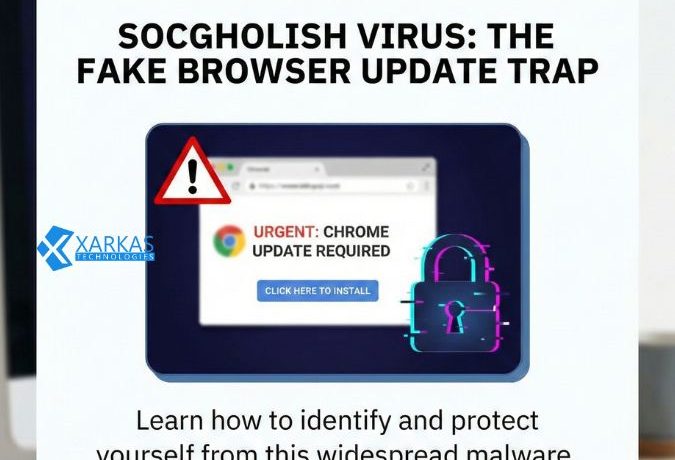
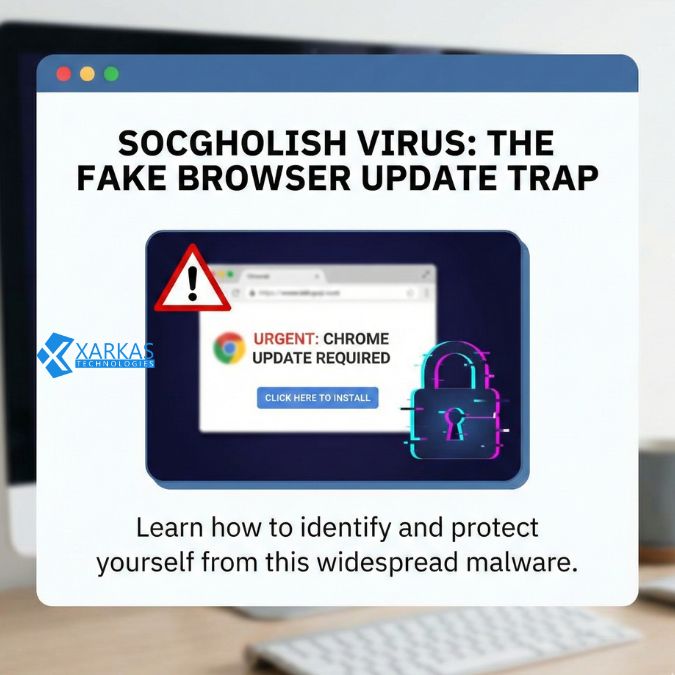
This notification typically appears as a browser update prompt, claiming your Chrome, Firefox, or Edge browser is out of date. The message looks incredibly convincing, often mimicking the actual design and language used by legitimate browser vendors. When you click to “update,” you’re actually downloading a malicious JavaScript file disguised as an installer.
Once executed, this JavaScript establishes communication with command-and-control servers operated by the threat actors. From there, the malware can download additional payloads, steal credentials, establish persistence on your system, and serve as an entry point for more sophisticated attacks.
Social Engineering Tactics Used
What makes SocGholish particularly insidious is its masterful use of social engineering. The attackers understand human psychology—specifically, our tendency to trust familiar interfaces and our anxiety about outdated software.
The fake update notifications create a sense of urgency. They often include messages like “Your browser is critically out of date” or “Update now to maintain security.” This urgency bypasses our rational thinking and prompts immediate action. It’s the digital equivalent of someone yelling “Fire!” in a crowded theater—your instinct is to react first and think later.
Fake Browser Update Scams
The fake browser update is SocGholish’s signature move. These fraudulent notifications appear in a new browser window or overlay, often blurring the underlying webpage to focus your attention on the update message. The design quality is impressive—attackers have clearly studied legitimate browser update interfaces and replicated them with remarkable accuracy.
Some variants even include fake progress bars, official-looking logos, and technical jargon to enhance credibility. They might display messages about “critical security patches” or “performance improvements,” leveraging our desire to keep our systems safe and running smoothly.
Why is SocGholish So Dangerous?
You might be thinking, “It’s just a fake update notification—how bad could it be?” The answer is: extremely bad. SocGholish represents a significant threat for several reasons.
Stealth and Persistence
SocGholish is designed to fly under the radar. The initial JavaScript payload is often small and uses obfuscation techniques to avoid detection by antivirus software. Once installed, it can establish persistence mechanisms that allow it to survive system reboots and remain active even after you think you’ve cleaned your system.
The malware also employs anti-analysis techniques, making it difficult for security researchers to study its behavior. It can detect if it’s running in a virtual environment or sandbox and will simply refuse to execute, making analysis and detection significantly more challenging.
Gateway to Ransomware
Here’s where things get really scary. SocGholish frequently serves as the initial access vector for ransomware attacks. Think of it as the burglar who picks the lock on your front door, allowing a whole team of criminals to enter and ransack your home.
Connection to Ransomware Groups
Security researchers have documented numerous cases where SocGholish infections led directly to ransomware deployment. The malware has been linked to several notorious ransomware operations, including WastedLocker, Lockbit, and others. Once the initial SocGholish infection provides access, attackers can conduct reconnaissance, move laterally through a network, escalate privileges, and eventually deploy ransomware across an entire organization.
For businesses, this progression from a simple fake update to a full-blown ransomware attack can result in operational shutdown, data loss, ransom demands in the millions of dollars, and permanent reputational damage.
Who is Behind SocGholish?
Attributing cyberattacks to specific individuals or groups is notoriously difficult, but security researchers have made some educated assessments about who operates SocGholish.
The Threat Actors
SocGholish is associated with a threat group tracked by various names in the cybersecurity community, including Evil Corp and TA569. This group has demonstrated sophisticated capabilities and has been operating for several years. They’re not amateur hackers working from their parents’ basement—these are organized, professional cybercriminals with significant resources and technical expertise.
The group operates as part of a larger cybercrime ecosystem, often working with or providing access to other threat actors. This collaboration multiplies the threat, as a single SocGholish infection can open the door to multiple criminal groups with different objectives.
Monetization Methods
How do these criminals profit from SocGholish? The answer is multifaceted. They might sell access to compromised networks on underground forums, where other criminals purchase entry points for their own attacks. They might deploy information-stealing malware to harvest credentials, financial data, and personal information that can be sold or used for identity theft.
Increasingly, they’re partnering with ransomware operators, either deploying ransomware themselves or selling access to ransomware affiliates who conduct the attacks and share the profits. It’s a sophisticated criminal business model with multiple revenue streams.
Common Distribution Methods
How does SocGholish actually reach potential victims? The distribution methods are varied and constantly evolving.
Compromised Websites
The most common distribution method involves compromising legitimate websites. Attackers exploit vulnerabilities in content management systems, plugins, or weak credentials to inject malicious JavaScript into otherwise trustworthy sites. This means you could visit your favorite news website, blog, or business site and encounter a SocGholish infection attempt.
What makes this particularly effective is the trust factor. You’re not visiting a suspicious website—you’re browsing a site you’ve visited dozens of times before. Your guard is down, making you more susceptible to the fake update notification.
Malvertising Campaigns
Malvertising—malicious advertising—is another distribution vector. Attackers purchase legitimate advertising space on websites, but the ads contain malicious code that redirects users to pages hosting SocGholish. These campaigns can reach thousands or even millions of users quickly, making them highly effective for mass distribution.
Drive-by Downloads
In some cases, SocGholish utilizes drive-by download techniques, where simply visiting a compromised page can trigger the infection sequence without any user interaction. However, the fake update notifications remain the most common approach because they’re more effective at convincing users to actively download and execute the malicious payload.
Signs Your System May Be Infected
How do you know if you’ve fallen victim to SocGholish? There are several warning signs to watch for.
Performance Issues
Unexplained system slowdowns can indicate malware activity. If your computer suddenly starts running significantly slower, with high CPU or memory usage when you’re not running resource-intensive programs, malware might be operating in the background.
Unusual Browser Behavior
Watch for strange browser behavior like unexpected redirects to unfamiliar websites, new toolbars or extensions you didn’t install, changes to your homepage or default search engine, and excessive pop-ups or advertisements. These symptoms often accompany malware infections.
Unauthorized System Changes
If you notice new programs or files you didn’t install, disabled security software, modified system settings, or unfamiliar processes running in Task Manager, your system may be compromised. SocGholish often makes these changes to establish persistence and facilitate additional payload downloads.
Industries and Targets Most at Risk
While SocGholish can affect anyone, certain industries and user groups face heightened risk. Organizations with large attack surfaces—many employees regularly browsing the web—are particularly vulnerable. This includes healthcare institutions, educational institutions, financial services, manufacturing companies, and government agencies.
Small and medium-sized businesses often lack the sophisticated security infrastructure of larger enterprises, making them attractive targets. Individual users, especially those less tech-savvy, are also frequently targeted. The democratization of this threat means no one is truly safe without proper precautions.
How to Protect Yourself from SocGholish
Prevention is always better than cure, especially when it comes to malware. Here’s how you can protect yourself and your organization.
Best Cybersecurity Practices
Implement a multi-layered security approach. Keep all software updated—ironically, the best defense against fake update scams is ensuring your software is actually updated through legitimate channels. Use reputable antivirus and anti-malware solutions with real-time protection. Enable automatic updates for your operating system and applications where possible.
Implement email filtering and web filtering solutions to block access to known malicious sites. Use endpoint detection and response (EDR) tools in business environments for advanced threat detection. Regular backups are essential—maintain offline backups of critical data that can’t be accessed by malware.
Browser Security Settings
Configure your browser security settings appropriately. Disable JavaScript on untrusted sites using browser extensions like NoScript. Enable browser warnings for malicious sites—most modern browsers have built-in protections. Consider using browser isolation technologies that separate browsing activity from your local system.
Be skeptical of download prompts, especially for browser updates. Legitimate browsers update automatically or prompt you through official channels—not through random website notifications.
Employee Training and Awareness
Human beings are often the weakest link in cybersecurity. Regular security awareness training is essential. Teach employees to recognize fake update notifications, verify update requests through official channels, report suspicious activity immediately, and understand the consequences of clicking unknown links or downloads.
Create a security-conscious culture where employees feel comfortable asking questions and reporting potential threats without fear of punishment. Sometimes the difference between a contained incident and a full-scale breach is an employee who recognizes something suspicious and speaks up.
What to Do If You’re Infected
Despite best efforts, infections can still occur. Here’s what to do if you suspect you’ve been hit by SocGholish.
Immediate Response Steps
Disconnect from the network immediately to prevent lateral movement and data exfiltration. Don’t wait—every second counts. Run a full system scan with updated security software. Change all passwords from a clean device—assume your credentials may have been compromised.
Document everything you remember about the infection—when it occurred, what you clicked, what you observed. This information is valuable for forensic analysis and remediation.
Professional Remediation
For serious infections, especially in business environments, engage cybersecurity professionals. They can conduct forensic analysis to determine the full extent of the compromise, identify and remove all malware components, check for data exfiltration, and assess whether additional systems were affected.
Don’t assume that simply running antivirus software is sufficient. SocGholish often deploys additional malware that may persist even after the initial payload is removed.
The Future of SocGholish Threats
What does the future hold for SocGholish and similar threats? Unfortunately, the outlook suggests these attacks will continue and likely become more sophisticated.
Attackers are constantly refining their social engineering techniques, making fake notifications increasingly convincing. They’re exploring new distribution methods and targeting emerging technologies. The rise of AI could enable even more personalized and convincing attack campaigns.
As security defenses improve, attackers adapt. It’s an endless arms race, and staying informed about emerging threats is crucial for maintaining effective defenses. The cybersecurity community continues to track SocGholish activity and develop new detection and prevention methods, but user awareness remains the most powerful defense.
Conclusion
SocGholish represents a significant and evolving threat in the cybersecurity landscape. This sophisticated malware framework exploits human psychology through convincing fake browser updates, serving as a gateway for ransomware and other devastating attacks. Understanding how it works, recognizing the warning signs, and implementing robust security practices are essential for protection.
The key takeaway? Trust but verify. Never download software updates from random website notifications. Always navigate directly to the official software vendor’s website or use built-in update mechanisms. Maintain healthy skepticism about unexpected prompts, no matter how legitimate they appear.
Cybersecurity is not just an IT issue—it’s everyone’s responsibility. By staying informed, remaining vigilant, and following best practices, you can significantly reduce your risk of falling victim to SocGholish and similar threats. Remember, in the digital world, an ounce of prevention is worth a pound of cure.
FAQs
1. Can antivirus software detect SocGholish?
Modern antivirus and anti-malware solutions can detect many SocGholish variants, but the malware constantly evolves to evade detection. Using reputable security software with real-time protection and behavior-based detection significantly improves your chances of catching it, but no solution offers 100% protection. Layered security approaches combining multiple tools and user awareness provide the best defense.
2. Are Mac users safe from SocGholish?
While SocGholish has primarily targeted Windows users, Mac users are not immune. The fake browser update technique can be adapted for any platform, and researchers have observed variants targeting macOS. Mac users should maintain the same vigilance as Windows users, as the social engineering aspects of the attack work regardless of operating system.
3. How can I tell if a browser update notification is legitimate?
Legitimate browser updates occur through the browser’s built-in update mechanism, usually accessed through the settings menu. Real updates never require downloading files from websites. If you receive an update notification while browsing, close it and manually check for updates through your browser’s official settings. When in doubt, don’t click—verify through official channels.
4. Can SocGholish steal my passwords and personal information?
Yes, absolutely. SocGholish can deploy information-stealing malware capable of capturing passwords, browser cookies, stored credentials, banking information, and other sensitive data. This stolen information might be used for identity theft, financial fraud, or sold on underground forums. If you’ve been infected, change all your passwords immediately from a clean device.
5. Is it possible to remove SocGholish manually, or do I need professional help?
While technically possible to remove SocGholish manually if you have advanced technical skills, it’s risky for average users. The malware often deploys additional payloads that may not be obvious, and incomplete removal can leave your system compromised. For individual users, running reputable anti-malware tools is the minimum recommendation. For business environments or confirmed serious infections, professional cybersecurity assistance is strongly advised to ensure complete remediation.




No Comment! Be the first one.